
Banner Ad Design Statistics and Trends
An analysis of 950,000 banner ads: the most used display sizes, file formats, animation types and the fonts designers and marketers actually choose.
Contents
- How was this data collected?
- Summary of the findings
- Which display ad sizes are used most?
- Why does the 300 x 250 banner rank first?
- Where does the 728 x 90 banner work best?
- What kind of format is 336 x 280?
- Which file format is used for static ads?
- What you need to know about the JPG format
- What you need to know about the PNG format
- What you need to know about the GIF format
- Which animated ad type is preferred?
- What are the differences between HTML5 and GIF?
- Which fonts are used in banner ads?
- Top 5 fonts entrepreneurs use in banner ad designs
- Top 5 fonts used by designers
- Top 5 fonts used by marketers
- Conclusion
Three technical decisions shape a banner ad design: size, file format and animation type. Since the dawn of the internet, banner ads have been used as one of the most effective ways available to marketers and advertisers who need to present their products or services to their customers. However, every industry evolves and adapts to the market based on customer attitudes and current trends. So while banner advertising can be a great choice, your results will largely depend on how you fit into your current market.
In order to fit in, you need the knowledge, the theory and the method. That is why we gathered the data below: a set of findings to help you navigate the murky waters of display advertising.
How was this data collected?
To that end, we collected data from over 200,000 users and analysed 950,000 banner ads between January and May 2024.
This information allowed us to answer some of the most pressing questions in this field, and to give a clear picture of the trends in banner advertising.
Summary of the findings
- The most commonly used display ad sizes are 300×250 (Medium Rectangle), 336×280 (Large Rectangle) and 728x90 (Leaderboard).
- Entrepreneurs, designers and marketers prefer the JPEG file format for a static display ad.
- The most commonly used animated ad type: 65.50% of users use animated HTML5, only 34.5% use animated GIF.
- Gotham, Myriad Pro and Helvetica Neue LT Std are the most commonly used fonts in display ads.
- 87.70% of users use their own branded images in display ads, while only 12.30% use stock images.
- Templates or from scratch: 96.65% of entrepreneurs, 97.86% of designers and 97.07% of marketers are likely to start from scratch.
Which display ad sizes are used most?
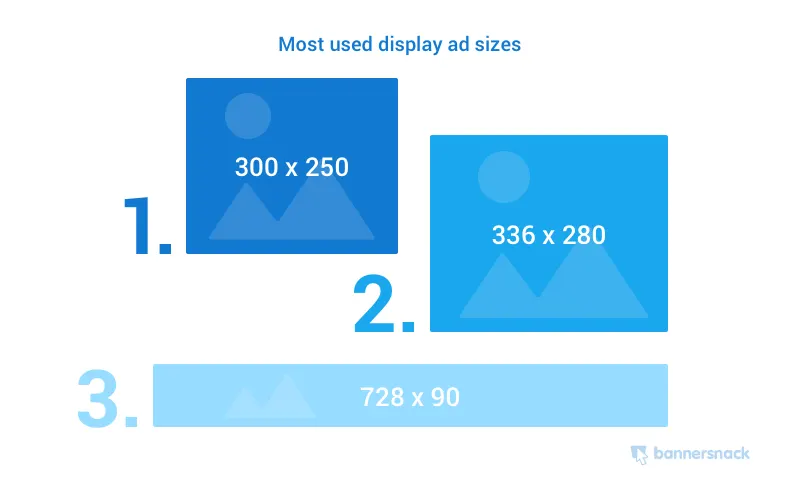
What is the most used display ad size? Are there more than one? What sizes should I choose for my designs?
These are three of the most important questions that come up immediately after deciding to invest in banner advertising. To be effective, you need to know how to attract your audience, and it all starts with some technical details. One of those details, size, always comes first.
According to our data, out of a wide list of standard sizes there are three banner sizes at the top of the popularity list. Regardless of the industry or the professionals who design the banners, there is always one number one choice that stays the same: the 300×250 rectangle. On average, here is what the top 3 look like:
- 300 x 250
- 728 x 90
- 336 x 280
Other questions arise alongside these choices, and they need to be addressed before we go any further: why is the rectangle the most commonly used display ad size? How does a rectangle-style banner look on a web page loaded on a desktop computer, and how does it appear on mobile devices?
Why does the 300 x 250 banner rank first?
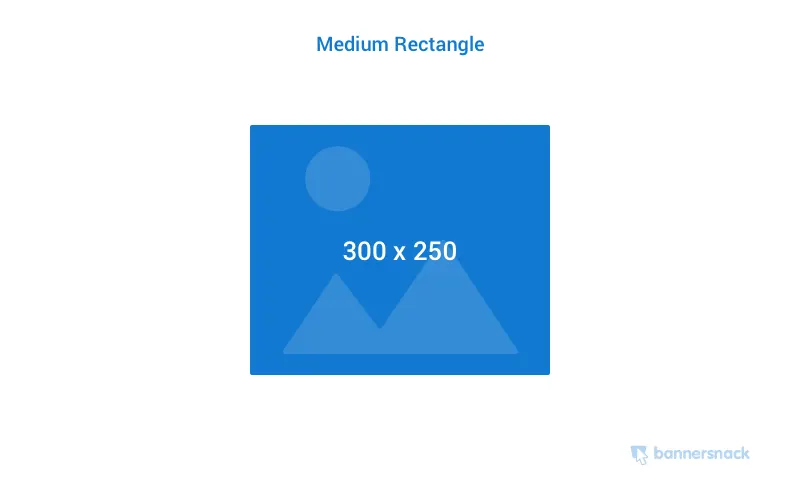
Some important facts about this particular banner size, facts that should explain why it ranks first in every situation:
- It is the most popular size among professionals involved in online marketing and advertising. In fact, 34% of all ads published online are designed to comply with this standard, because it translates well between devices. That means it looks great and stays readable on both desktop and mobile. It is also the most popular mobile format.
- The 300×250 rectangle is also popular because of its shape, which allows the designer to integrate text and images smoothly without losing readability.
- There is a huge inventory of 300×250 banner ads available these days, which is ideal for designers and marketers looking for inspiration and ideas.
- This type of banner also performs well when placed within text content or at the end of an article.
- The 300×250 medium rectangle is the most dynamic format. Its effectiveness comes from great readability matched with the fact that it is the most widely available format across all devices. In other words, it is the most used display banner format.
The banner size in question is not the only one that has been popular this year. It may be the first choice for marketers, designers and entrepreneurs, but there are other sizes that are popular among these professionals too.
Where does the 728 x 90 banner work best?
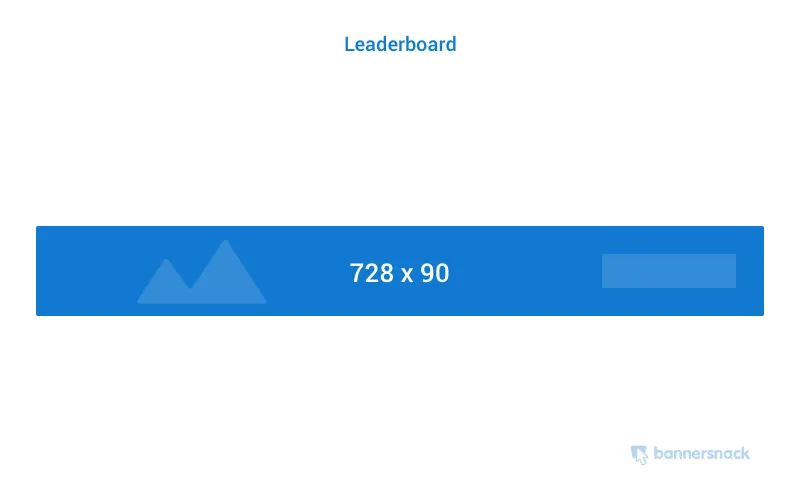
In general, this format is the second choice and there is at least one reason for that. It is very effective when placed at the top of forum websites or inside the header of a website or blog. The area works because the viewer’s focus is drawn to it immediately, before they read the headlines or the content.
It may be tempting to place this type of ad not only at the top of the page but also at the bottom, below the content area and in the footer. However, according to the statistics, only the header unit will be successful and give you your money’s worth.
In addition, this type of unit is sometimes used as part of a sponsorship message or as a homepage takeover.
What kind of format is 336 x 280?
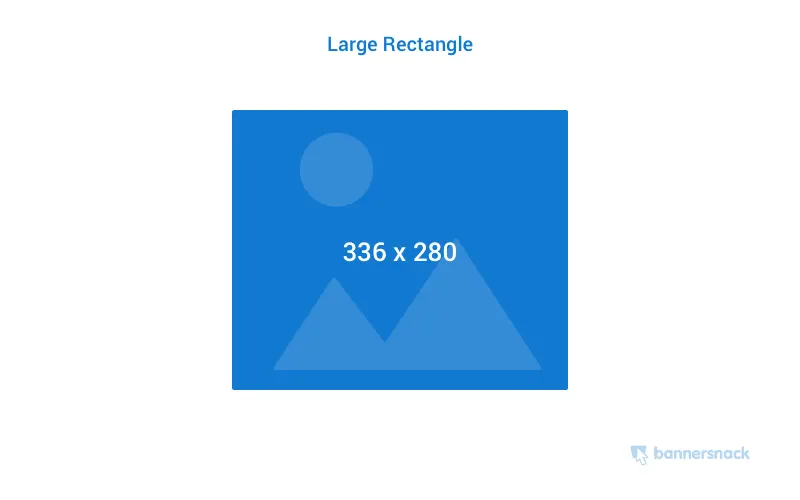
This ad format is the bigger sibling of the 300×250 unit mentioned above. It is a premium format and is only offered as an option by large advertising agencies and networks. Being larger than the previous one, this banner ad enjoys all the same advantages. It can also come with better readability thanks to the larger area that allows for bigger fonts and images.
The 300×250 unit can offer a high CPM if placed above the fold.
Which file format is used for static ads?
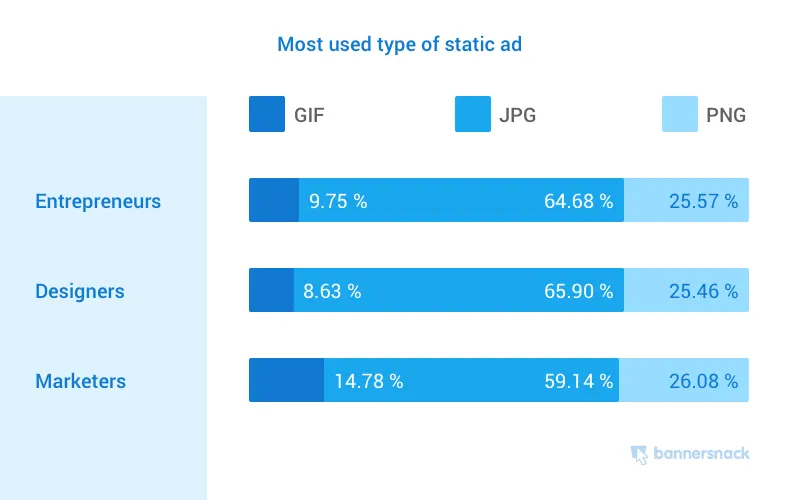
Apart from size, there is another technical aspect that needs to be addressed before saving and publishing your banner ads: the file format. Most static banner ads are based on GIF, JPG and PNG compression, and JPG has gained the most popularity among them.
You can look through the work of other designers to understand the differences and see the end results with your own eyes. To understand the trends better and make an informed decision, we need to know the basic differences between JPG, GIF and PNG.
What you need to know about the JPG format
- JPG is a file format mostly used for photos and realistic images.
- A typical JPG file can be compressed at any ratio between 100:1 and 2:1, and this compression is one of the main reasons it wins when it comes to web display. A JPG image or banner can easily be optimised for size and page speed.
- However, JPG may not be a great choice for banners and images that are rich in typographic elements, as they can look bad in print. For the same reason, JPG is not recommended for images that contain sharp-edged objects and clean lines.
- Technically speaking, JPG supports 8-bit grayscale colour palettes as well as 24-bit RGB and CMYK.
What you need to know about the PNG format
- JPG is a great choice for static images thanks to its impressive compression capabilities. The PNG file format, on the other hand, is a great choice for rich graphics such as images with sharp objects, line art or different typography. These are images based on the objects and vectors they are made of rather than on colour alone.
- PNG was developed as a clear alternative to GIF and also supports 8-bit colour palettes. However, unlike GIFs, PNGs can also be compressed and saved in 24-bit colour RGB palettes like JPGs, which is a better choice in today’s context.
- PNG is also the best choice for designers and marketers who want to integrate visual elements such as logos into website pages, because of its transparency capabilities.
- Thanks to its excellent compression ratio in terms of quality, PNG is highly valued as a lossless file format, but it only works well with small files. Banners fall into that category.
What you need to know about the GIF format
GIF is one of the oldest file formats available online and has been used mostly for animated content over the past decades. It was a great choice for a long time because of its compression and small file size, but due to its technical limitations it has fallen out of favour among professional designers, marketers and entrepreneurs.
- GIF files are limited to 256 colours in an 8-bit palette only, which means that for professional purposes this format is not as good as JPEG and PNG.
- However, when used in small images, GIFs are a good choice for storing line drawings, text and iconic graphics.
- GIFs also support animations and short video clips by limiting each frame to 256 pre-selected colours.
Which animated ad type is preferred?
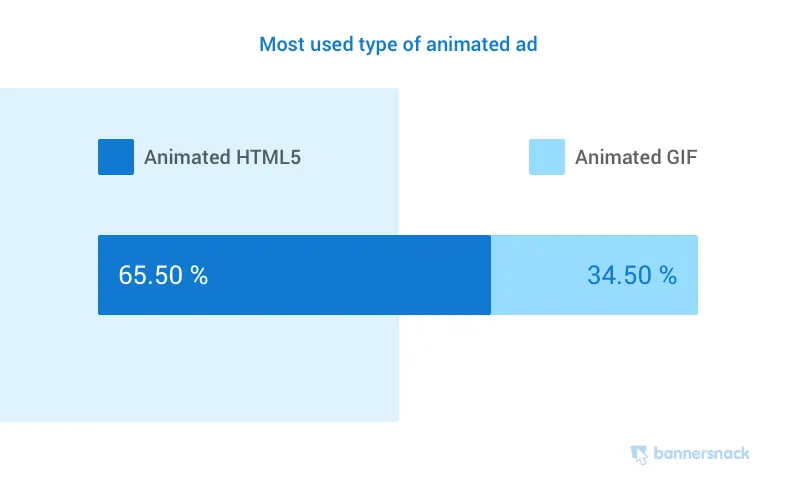
While static ads can be effective for some marketers, there are many professionals who invest in designing and publishing animated ads. This is not a discussion about which banner type delivers the best results. Instead, we will focus on the statistics that show this year’s choices by animated banner type.
Several questions arise at this point: what are animated HTML5 banner ads? What are animated GIFs? What are the main differences between the two, and why do people choose one over the other?
- Animated HTML5. HTML5 is the latest evolution of the standard HyperText Markup Language, traditionally called simple HTML. Most websites are based on these scripts and as a result the format is natively supported by all browsers. Unlike previous versions, HTML5 allows the designer to animate banners using CSS, JavaScript and rich media elements without losing visual quality and while using little space and few computer resources.
- Animated GIFs contain a series of images encoded with the Graphics Interchange Format and grouped into a single file. The frames are presented in a specific order and can be looped endlessly. It is a fast and simple way to present dynamic content on a web page.
What are the differences between HTML5 and GIF?
Despite the fact that the GIF file format is almost as old as the internet as we know it, it is still a popular format among casual and professional users. GIF banners are outdated and inefficient in many ways, but as we can clearly see from the data above, there are still over 34 percent of marketers who consider using them.
Twenty years ago, GIFs were the main choice; their small file sizes were a great option for the slow internet connections available at the time. Over the years they were largely replaced first by Flash banners and later by HTML5 banners. While Flash technology satisfied the marketer’s and the viewer’s appetite for visual quality, it lacked one thing that proved decisive: compatibility. HTML5 therefore became the new standard for professional marketers, and with more than 65% of professionals using it today we can clearly see how widely it has been accepted.
Some facts that shed light on the main differences between GIF and HTML5 animated banners:
- GIF files are limited to a 256-colour palette while HTML5 banners are not. The result is that the latter looks better and more polished, which matters from a marketing and advertising perspective.
- Both formats are natively supported by all browsers. However, HTML5 behaves like another web page inside a frame and allows the use of scripts such as CSS and JavaScript, which gives the designer more freedom.
- Size can also be an issue. GIF files need to be uploaded locally and hosted on a server. HTML5 banner ads can be served from cloud-based storage.
- In HTML5 banners, the designer can embed rich media content such as real video clips and audio streams.
- HTML5 banners are mobile-friendly and responsive. They adapt easily to different types of screens, a necessary feature in today’s context.
Which fonts are used in banner ads?
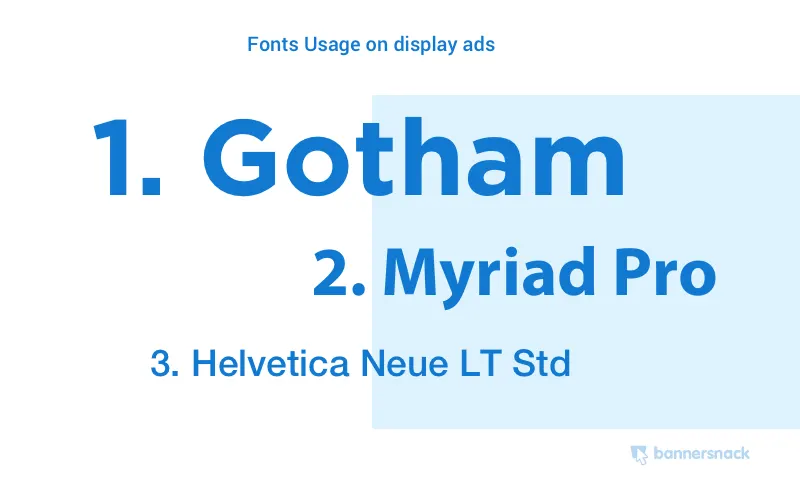
The first requirement for fonts used in banner ads is that they are easy to understand and easy to read. They also need to match your own visual identity and the brand and style of your visual marketing campaign. As a result, you need to choose the best and most suitable banner fonts for your designs.
Here is what we learned after compiling the data in our study. According to the statistics, the most used fonts are:
- Gotham
- Myriad Pro
- Helvetica Neue LT Std
Why are Gotham, Myriad Pro and Helvetica Neue LT Std the main choices? All of these typefaces look legible and stylish. They are a well-balanced combination of classic and modern, and they can convey a clear, readable message regardless of the font size used.
Now let us look at the most used typography based on the occupation of the people targeted by our study.
Top 5 fonts entrepreneurs use in banner ad designs
- Brandon Grotesque
- Arial
- Myriad Pro
- Raleway
- Futura Std
Top 5 fonts used by designers
- Gotham
- Helvetica Neue LT Std
- Proxima Nova
- Brandon Grotesque
- Bebas Neue
Top 5 fonts used by marketers
- Myriad Prod
- Helvetica Neue LT Std
- Gotham
- Proxima Nova
- Open Sans
Conclusion
Regardless of your type of business, to be effective and efficient you have to stay close to your own time and to the current practice of your profession. This is even more true when you are engaging with an audience or need to communicate a message to one.
The marketing and advertising industry is always obliged to adapt to the trends of the time and to the behaviours of the audiences most affected by those trends. This study was conducted to help marketers, entrepreneurs and designers gain a clearer picture of today’s banner ad design market and adapt more easily to the expectations of their audience.
If you would like to talk about applying these findings to your own display advertising campaigns, get in touch.
Published: · Updated: · Author: Moon Workshop
Frequently Asked Questions
What is the most used banner ad size?
Should a static banner be a JPG, a PNG or a GIF?
Is an HTML5 banner better than an animated GIF?
Related Articles
- Strategy3 min read
What Is Digital Advertising? What Are the Types of Digital Advertising?
Digital advertising is how brands reach their audience through online channels. PPC, CPM, CPA, social, search, video and email ad types explained.
- Strategy3 min read
What Is Programmatic Advertising? How Is It Done?
Programmatic advertising buys and sells digital ad space through automated systems. Its buying types, the process step by step and its advantages.
- Strategy3 min read
How to Create a Content Calendar: A Step-by-Step Editorial Planning Guide
A content calendar decides in advance what gets published, when and in what format. A step-by-step guide from audience analysis to performance measurement.