
What Is a DMP? How a Data Management Platform Works
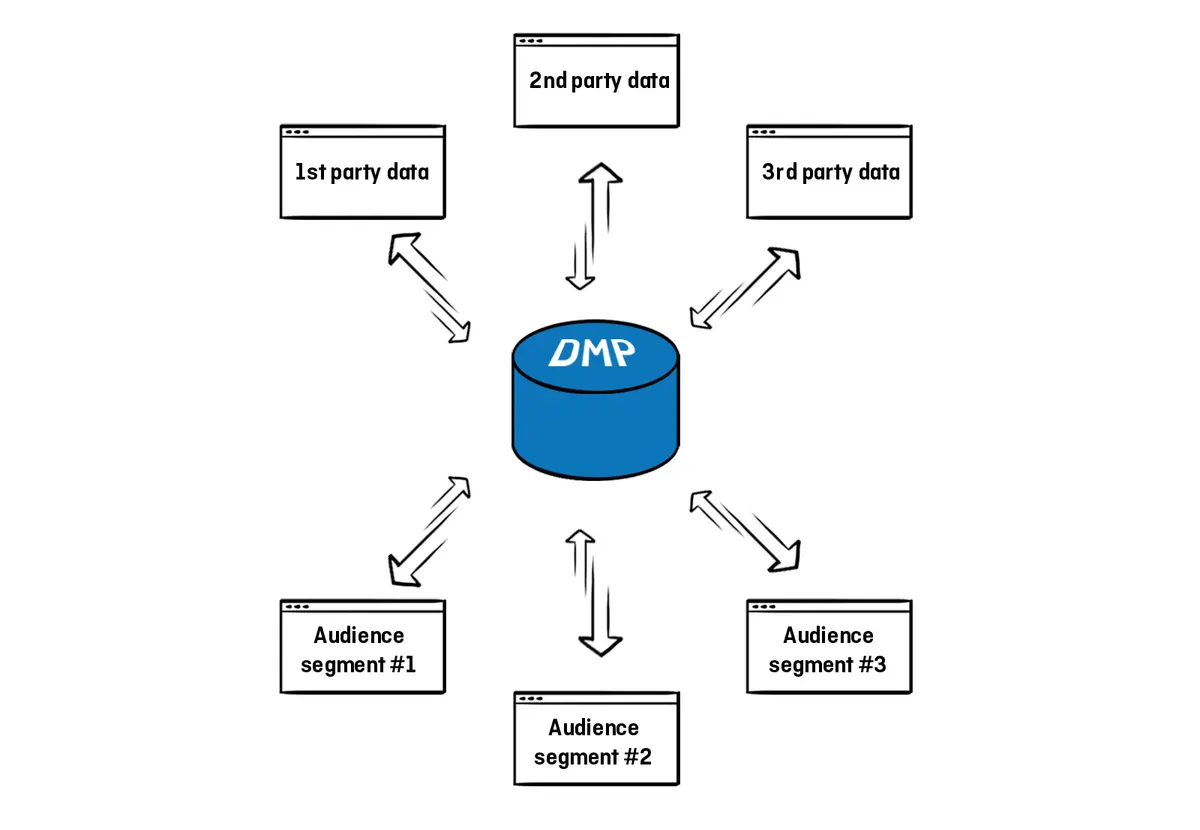
A DMP is a unifying platform for collecting, organizing and activating first, second and third party audience data from any source.
Contents
A data management platform (DMP) is a unifying platform for collecting, organizing and activating first-party, second-party and third-party audience data from any source — online, offline, mobile and more. It is the backbone of data-driven marketing and enables businesses to gain unique insights into their customers.
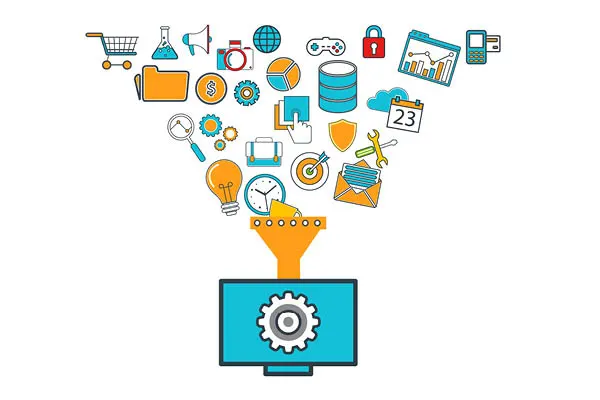
Big data can power effective data-driven marketing campaigns, but you cannot do much with raw information. You need to sort it and turn it into a usable form, at least so that you can understand what you are looking at. That is exactly what a DMP is for.
How does a DMP work?
A DMP can collect unstructured audience data from any source, including desktop, mobile web, mobile apps, web analytics tools, CRM, point of sale, social, online video, offline sources and even TV.
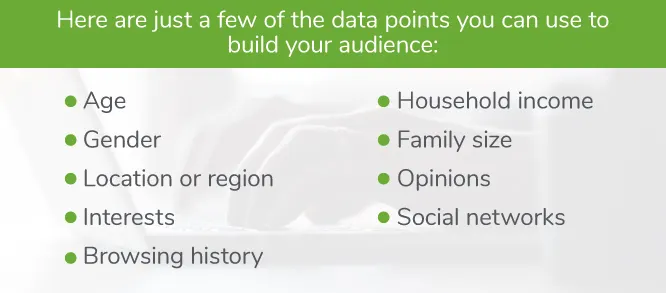
A true DMP should collect audience data well below the surface level, going far beyond things like URLs and keywords. First-party data — the data you own and collect directly from your own customers — can include clicks, downloads, video uploads, video completions and interests such as sports, football, parenting, museums or travel. It can also include demographic data, socio-economic data, influencer data and action data. For example, a business might use a DMP to collect and organize data, then use that data to target a specific ad to mothers between the ages of 25 and 35.
A DMP collects audience data from sources such as:
- Web analytics tools
- Mobile web
- Mobile apps
- Behavioral and demographic data
- CRM data
- Point of sale data
- Social networks
- Online video
- TV data
What happens after the data is collected?
Once first-party data is collected, it is organized into a series of sections called a hierarchy, which can vary depending on each end user’s business model. A large publisher network might divide its hierarchy into different buckets based on each of its websites. An agency might keep separate accounts for each of its advertisers. Marketers can manage data for different brands separately while still having a holistic view of the whole.
Once categorized, this data can be used to better understand your audience, create effective RFP responses, learn more about the people you reach and expand your reach to meet campaign commitments. In short, all of your audience data sits in one place so you can quickly see who your best customers are, what content they engage with and how to reach them.
There are three basic steps to getting started with a DMP.
1. Segmentation and audience creation
Once the data is segmented into the platform, you can use it to create audiences for specific marketing campaigns. One retailer may want to target a specific ad to women aged 18-34, while another focuses on men who frequently shop for shoes online. Regardless of who they are trying to reach, marketers, publishers and advertisers rely on audience segmentation to power data-driven campaigns and reach the right consumers at the right time.
2. Insights and audience profile reports
Shortly after the data is organized and categorized, you can pull it and analyze it to discern customer patterns, trends and intent. Audience profile reports provide an in-depth view of the characteristics and interests of each audience created on the platform. This information can be used to inform your future advertising and messaging.
3. Activation
The final step is to put the data to work. This activation step leverages the DMP’s integrations and open APIs with other platforms, so the audiences you create can move seamlessly to DSPs, SSPs and beyond. The most common DMP use case is running a targeted campaign to a specific audience through a DSP. Alternatively, you can connect the DMP to your content management system (CMS) to tailor your website content to specific audience groups.
How do you build a DMP audience?
Once you have collected and organized your data, it is time to create unique audiences in your DMP so you can identify your most valuable segments and use them across any digital channel. For a specific targeted campaign, a marketer can pre-define the audience based on the data collected in the DMP. So instead of spending your advertising budget on one financial website to reach an audience interested in finance, you can build a financial audience based on real behaviour across the broader internet.
Audiences can be built within the data management platform using any combination of first-, second- and third-party data sources combined with Boolean logic that breaks every value down to either true or false. You can build as many audiences as you want and are only limited by the scale you need. In general, the more audiences you create, the smaller each one becomes.
What can you do with a data management platform?
What matters more is what you can do with all the data you collect. Here are a few areas to focus on:
- Content and product recommendations: Deliver personalized experiences for web and mobile users.
- TV DMP: Match your audience across TV and digital so you can reach the same people when and where they are ready to buy.
- Monetize or sell data: Sell your valuable data for additional revenue.
- Grow your audience or customer base: Find a healthy source of new customers to build brand loyalty.
- Paid search: Use DMP-driven audiences to target, suppress or dynamically update paid search campaigns.
A DMP is not a campaign tool in itself; it is the data layer beneath your digital advertising work. The value you get from it depends on how well the collected data turns into meaningful segments and how effectively those segments are activated in the ad platforms you actually buy through.
Published: · Updated: · Author: Moon Workshop
Frequently Asked Questions
What data sources feed a DMP?
What happens after a DMP collects the data?
How do you build an audience in a DMP?
Related Articles
- Measurement7 min read
What Is ROAS? How to Measure Return on Ad Spend Correctly
ROAS is revenue divided by ad spend, but the number is only as good as its data. How to calculate it, avoid attribution traps and set profitable targets.
- Measurement7 min read
GA4 and Server-Side Tagging: A Measurement Infrastructure Guide
Server-side tagging moves tag execution off the browser onto your own endpoint. What it fixes, how to plan a GA4 event schema, and how to migrate safely.
- Measurement3 min read
What Is Google Tag Manager? What It Does and How to Set It Up
Google Tag Manager is a free tool that lets you add and manage tracking tags on your site through a single container code. Setup steps and use cases.