
What Is Google Merchant Center? How Is It Set Up?
Google Merchant Center is where you upload the product data behind Shopping ads. Account setup, product feed methods and the rules you must follow.
Contents
Google Merchant Center is a digital platform where online retailers upload the product data that feeds Google Shopping ads. In Merchant Center you also provide information about your e-commerce store, shipping and taxes. Every product you see when you run a Google Shopping search was uploaded using Merchant Center.
Merchant Center also serves as a source of information for the free, organic product listings Google offers in the Shopping tab.

What is Merchant Center for?
The primary purpose of Google Merchant Center is to let businesses upload and maintain product information, including images and prices, so it can be displayed in relevant Google Shopping searches.
Merchant Center also integrates with other Google services, such as Google Business Profile, so that Google-based marketing and e-commerce activity can be monitored and controlled from one place.
How do you set up Merchant Center?
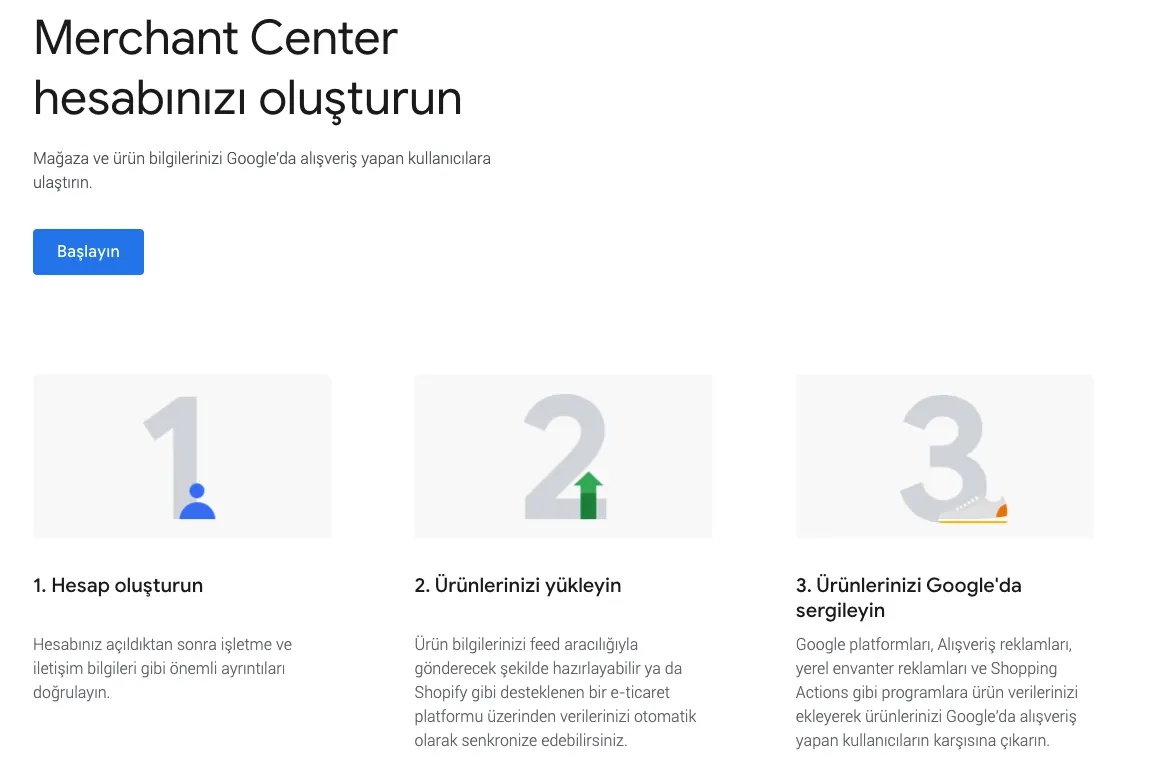
Your product information lives in Google Merchant Center. To set up your account, follow these steps:
- Create a Merchant Center account to host your product feed.
- Configure the account with the details of your business.
- Verify and claim your website URL to confirm that your site meets all requirements.
- Create a product feed to tell Google which products you sell online.
Note: after you create a product feed, save it and upload it to Merchant Center.
To create your Shopping campaign, you need a Google Ads account connected to your Merchant Center account. That link is what allows the campaign to use the product data you submitted. You can connect an existing account where you have administrative access, or a new Google Ads account that you create.
How do you add products to Google Merchant Center?
There are several ways to upload your products:
- Import an XML or XLSX feed file, or a Google Sheet, containing your entire product catalog.
- Upload manually, adding products one by one.
- Send data through the Content API or using FTP/SFTP.
What rules should you follow in Merchant Center?
- Promote only products that can be purchased directly.
- Use clear, formal language in your product information.
- Tell customers about your return and refund policy.
- Collect user information in a careful and secure manner.
- Follow the shopping ads policies.
- Verify your website URL and claim it.
- Meet the website requirements.
- Log in to your Merchant Center account regularly.
Why should you use Merchant Center?
Merchant Center is the single source for your product catalog inside the Google ecosystem. Once the product data is set up correctly, it feeds both paid Shopping ads and free product listings, so the same feed makes you visible across multiple surfaces.
This structure keeps details such as product title, image, price and availability consistent with your website. If a price or stock status changes on your site but is not updated in the feed, the product can be disapproved. Keeping the feed current is therefore as important as campaign optimisation itself.
In short, Merchant Center is the product-side infrastructure of your digital advertising work: set up properly, it gives your Shopping ads a solid foundation; set up poorly, it limits results no matter how well the campaigns are managed.

Published: · Updated: · Author: Moon Workshop
Frequently Asked Questions
How do you upload products to Merchant Center?
Do I need a Google Ads account to run Shopping ads?
What rules should I follow in Merchant Center?
Related Articles
- Google Ads4 min read
Google Shopping Ads in Gmail: How the Shopping Experience Changed
Google Shopping Ads arriving in Gmail, the surfaces shopping ads run on, and the role DMP-based audience segmentation plays in reaching the right shoppers.
- Google Ads7 min read
Performance Max Campaigns: When to Use Them and How to Optimize
Performance Max runs across every Google inventory from one campaign. When it fits, how to structure asset groups, and which levers control it.
- Google Ads6 min read
YouTube Ad Formats and Which Goal Each One Serves
Skippable, bumper, in-feed and Shorts ads each serve a different objective. How to match YouTube ad formats to goals, creative and measurement.