
Google Shopping Ads in Gmail: How the Shopping Experience Changed
Google Shopping Ads arriving in Gmail, the surfaces shopping ads run on, and the role DMP-based audience segmentation plays in reaching the right shoppers.
Contents
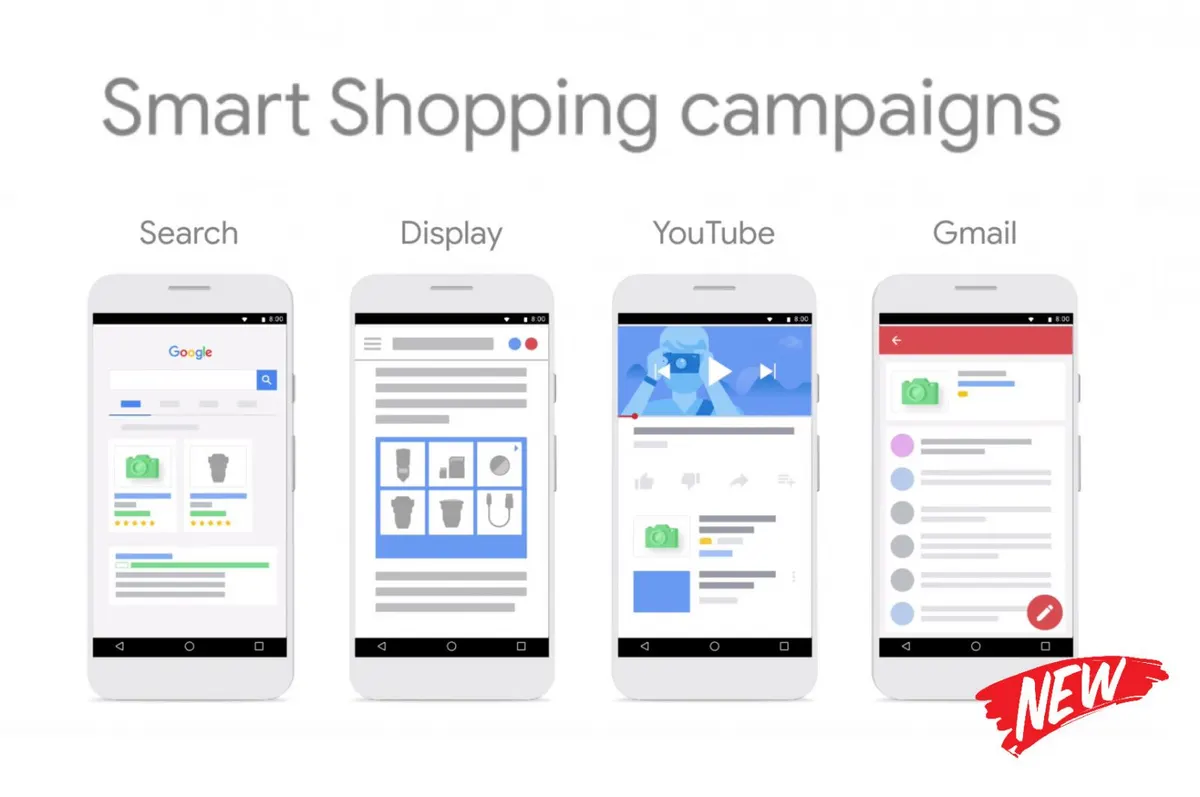
Google Shopping Ads began appearing in Gmail, a service with more than 1 billion users, as of the week of March 4, 2020. According to Google’s statement to its partners at the beginning of February, the formats to run in Gmail were Product Shopping Ads and Showcase Shopping Ads. Consumers could now catch discounts and offers matching their shopping habits inside Gmail as well.
What are Google Shopping Ads?
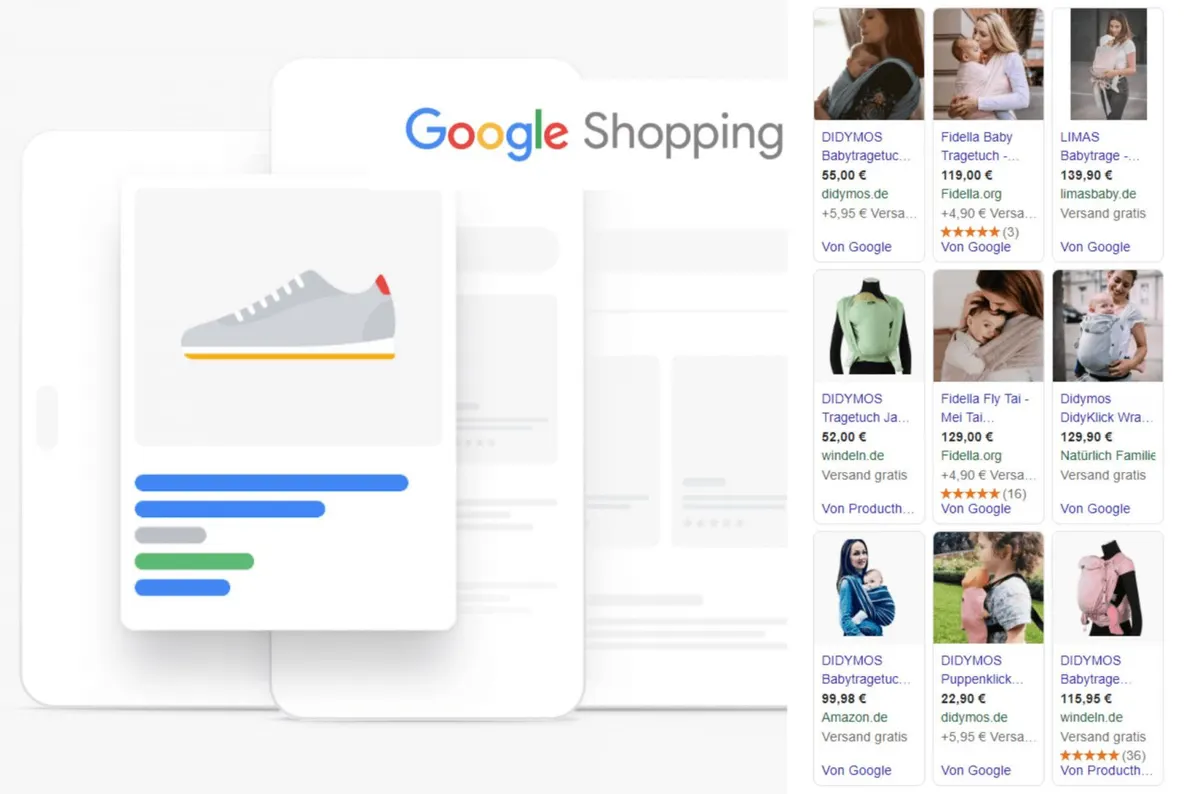
Unlike classic text ads, shopping ads show the product itself: the product image, title, price and merchant name all appear inside the ad. The user sees what the product is and what it costs before clicking. That is why shopping ads have been used for years as a format that makes it easier to decide and to compare prices when shopping online.
The content of these ads does not come from ad copy but from the product data the merchant submits to Google Merchant Center. Product title, description, image, price, brand, category and stock status are all defined in that feed. In shopping campaigns, therefore, most of the performance is decided in the data quality before any campaign setting is touched.
What did shopping ads in Gmail change?
Before reaching Gmail, shopping ads had been guiding the online shopping audience in Google Search, the Display Network and YouTube. Adding Gmail moved these ads onto another surface where users spend time every day.
The difference lies in user intent. In search results, the user is actively looking for a product; on a surface like Gmail, the user may not be searching at all. For that reason the Gmail placement is usually treated as a touchpoint that creates interest and keeps the brand in mind, rather than one that captures existing demand. For users who follow the new products and offers of the brands they like, it adds another point of discovery to the shopping journey.
That distinction also shapes what you should expect from the campaign. On the search side, the user is close to buying, so conversion happens quickly. On a discovery surface, the user is meeting the product for the first time, and the purchase is usually completed on a later visit rather than in the same session. Judging placements like Gmail on last-click alone therefore tends to understate their real contribution.
Why is the same product data used across several surfaces?
There is a practical reason shopping ads can run in Search, the Display Network, YouTube and Gmail: all of them draw on the same product feed. Once an e-commerce brand sets up its product data properly, the same catalogue becomes usable across multiple touchpoints.
That has two management consequences. First, data errors are never confined to one channel; a missing image or a wrong price shows up in every placement. Second, placement-level reporting becomes important: the same campaign behaves differently on search surfaces than it does on discovery surfaces, and looking at a single blended average can mislead. On the Google Ads side, clarifying that split is usually the first step of any optimization.
Why did DMPs (Data Management Platforms) come to the fore?
As habit-based advertising grew, brands moved toward DMP models that manage audience data more systematically. A DMP collects audience data from different sources, organizes it and turns it into segments that can be activated in campaigns.
Many brands now segment both their prospective customer base and their product categories. The approach benefits both sides: the brand uses its budget more efficiently because the message reaches relevant users, while users encounter fewer irrelevant ads. When the online shopping audience sees ads closer to its own interests, the decision-making process gets shorter.
What does this mean for e-commerce brands?
More placements does not automatically mean better results. When a new surface is added, three pieces of work matter:
- Keeping the product data clean. Title structure, category mapping, image quality and current stock information determine whether the ad matches the right searches.
- Separating audiences. A first-time visitor and a user who abandoned a cart should not see the same message. Segmentation is how that distinction is built.
- Measuring by placement. Traffic from discovery-oriented surfaces converts differently from search traffic; judging both against the same target leads to the wrong decision.
These three points apply to every campaign built on pay-per-click (PPC) logic, and they matter even more in shopping campaigns because product data is part of the equation.
Closing
Opening Gmail to shopping ads was part of Google’s wider move to use product data across more and more surfaces. In the years that followed, these placements were consolidated under different campaign types, but the underlying logic did not change: a well-built product feed and clearly defined audience segments determine the outcome regardless of which surface the ad appears on.
If you would like to review your product feed and audience segments together, take a look at our e-commerce consulting service or reach us through our contact page.
Published: · Updated: · Author: Moon Workshop
Frequently Asked Questions
When did Google Shopping Ads start appearing in Gmail?
On which Google surfaces do shopping ads appear?
What is a DMP (Data Management Platform)?
What determines the performance of a shopping ad most?
Related Articles
- Google Ads3 min read
What Is Google Merchant Center? How Is It Set Up?
Google Merchant Center is where you upload the product data behind Shopping ads. Account setup, product feed methods and the rules you must follow.
- Google Ads7 min read
Performance Max Campaigns: When to Use Them and How to Optimize
Performance Max runs across every Google inventory from one campaign. When it fits, how to structure asset groups, and which levers control it.
- Google Ads6 min read
YouTube Ad Formats and Which Goal Each One Serves
Skippable, bumper, in-feed and Shorts ads each serve a different objective. How to match YouTube ad formats to goals, creative and measurement.