
35 Best Free SEO Tools for Tracking and Analysis
A category-by-category review of 35 free SEO tools covering keyword research, on-page checks, technical SEO, rank tracking, analytics and local search.
Contents
- What categories does this list cover?
- What is content marketing?
- What is SEO?
- Keyword research tools
- 1. Answer The Public
- 2. Google Keyword Planner
- 3. Ahrefs Keyword Generator
- 4. Google Trends
- 5. Keyworddit
- 6. Keyword Surfer
- On-page SEO tools
- 7. SERPSim
- 8. Google’s Rich Results Test
- Link building tools
- 9. Ahrefs Backlink Checker
- 10. Hunter.io
- 11. Ahrefs Broken Link Checker
- 12. Scraper
- 13. Streak
- Technical SEO tools
- 14. Google Search Console
- 15. Screaming Frog
- 16. Cloudflare
- 17. GTmetrix
- 18. Google’s Mobile-Friendly Test
- 19. Where Goes?
- 20. Robots.txt Generator
- 21. HEADMasterSEO
- 22. Keep-alive Validation Tool
- 23. Chrome DevTools
- 24. View Rendered Source
- 25. Hreflang Tag Generator
- Rank tracking tools
- 26. Ahrefs SERP Checker
- 27. BrightLocal Local Search Results Checker
- 28. Mobile SERP Test
- Analytics tools
- 29. Google Analytics
- 30. Keyword Hero
- 31. Google Data Studio
- Local SEO tools
- 32. Google Business Profile
- 33. Whitespark Google Review Link Generator
- Other SEO tools
- 34. Algoroo
- 35. Wayback Machine
- Bonus: Google Alerts
- Where should you start?
This article reviews 35 free tools you can use for SEO tracking, grouped by what each one is for. If you are looking for a list of free, useful SEO tools, you need look no further. The Moon Workshop SEO team tried every suggestion, picked the best ones and grouped them by purpose. If you want to save on ad spend and put content marketing first, this list will come in handy.

What categories does this list cover?
- Keyword research tools
- On-page SEO tools
- Link building tools
- Technical SEO tools
- Rank tracking tools
- Analytics tools
- Local SEO tools
- Other tools
What is content marketing?
“Content marketing is a strategic marketing approach that focuses on creating and distributing valuable, relevant and consistent content to attract and retain a clearly defined audience and ultimately drive profitable customer action.”
What is SEO?
SEO stands for Search Engine Optimization: the work of increasing the quantity and quality of traffic to your website through organic search engine results.
Keyword research tools
These tools help you discover what your audience is searching for.
1. Answer The Public
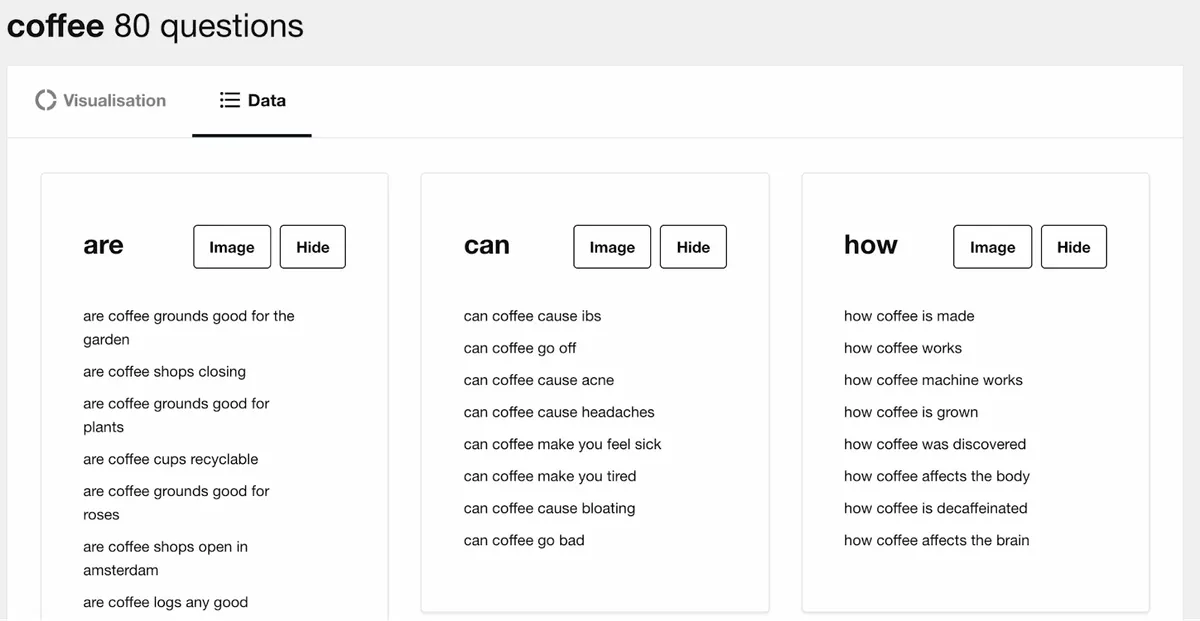
AnswerThePublic listens to autocomplete data from search engines like Google and quickly surfaces the phrases and questions users have around your keyword. It is a source of consumer insight you can use to create new, genuinely useful content, products and services.
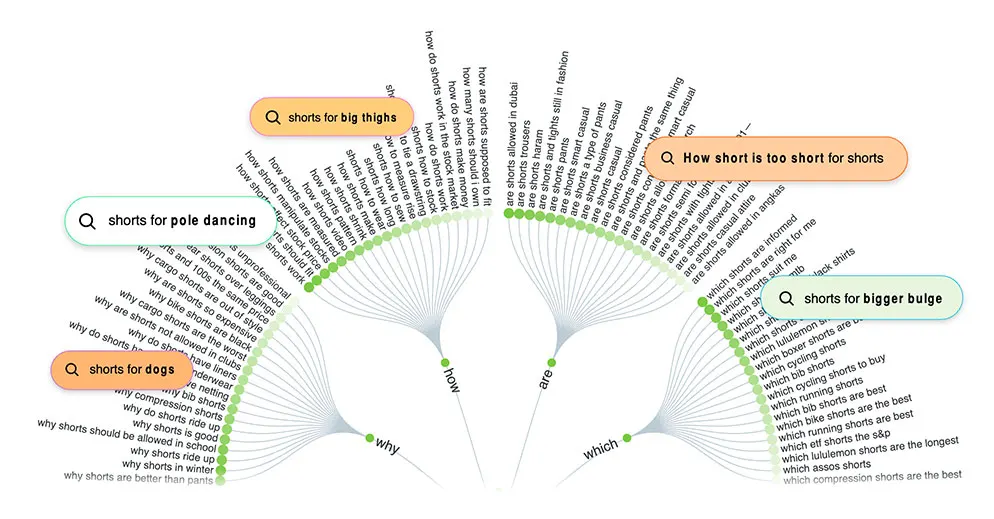
“Google searches are the most important dataset ever collected on the human psyche.” — Seth Stephens-Davidowitz, former Google data scientist
What it does: It collects the questions people ask through Google’s autocomplete results, plus a few other query types. Very useful for generating topic ideas.
Worth knowing: Answer The Public is a premium tool with a free tier — two searches per day are free.
Similar alternatives: Keyword Sheeter, Keywordtool.io
2. Google Keyword Planner
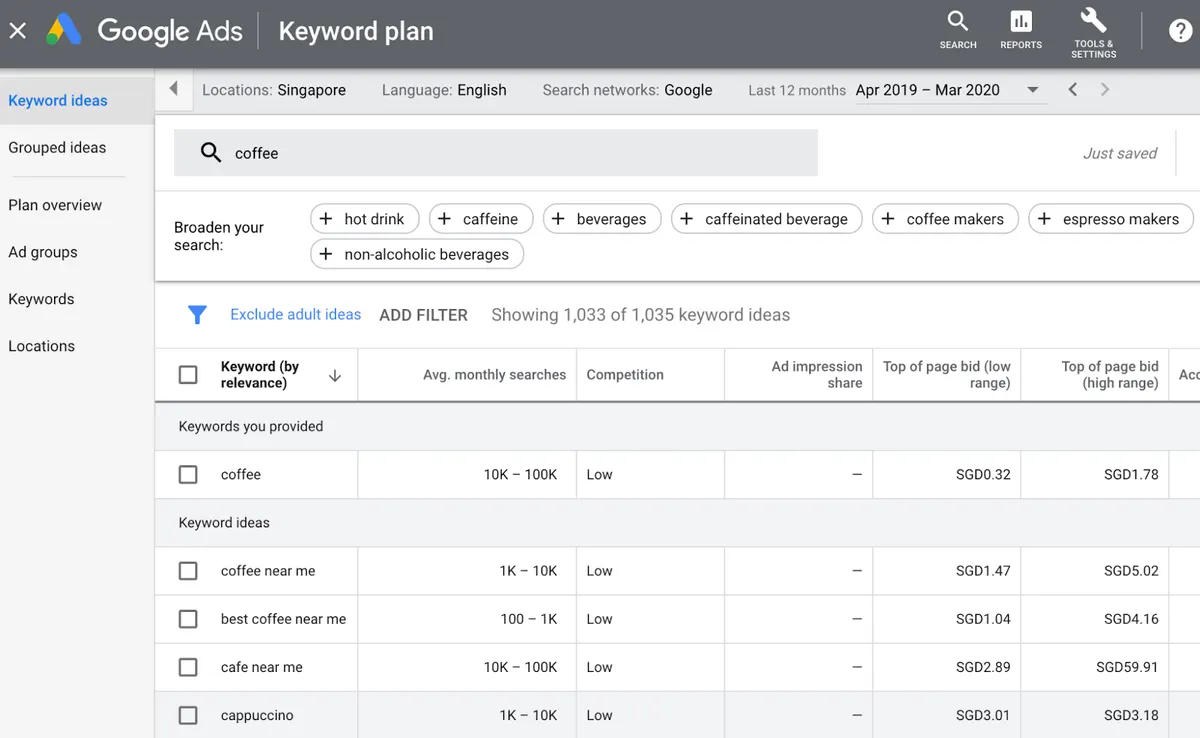
Google’s Keyword Planner provides content marketers and advertisers with related search terms, ad group ideas, keyword suggestions and trend data. For all its power it has one significant drawback: you need a Google Ads account to use it.
What it does: It generates keyword ideas from up to ten seed keywords, or from a website or URL. Despite limitations such as the lack of absolute search volumes, it surfaces ideas that are hard to find any other way.
Worth knowing: If Bing is a search engine you want to optimise for, remember that it has its own Keyword Planner.
3. Ahrefs Keyword Generator
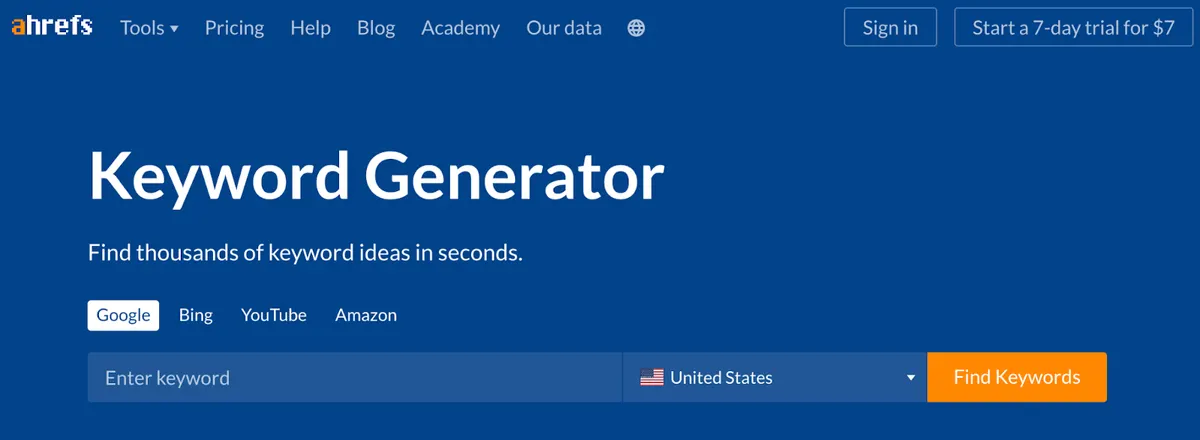
Ahrefs Keyword Generator finds related keywords from a large query database. Enter up to ten words or phrases, then choose one of six keyword idea reports. Each keyword comes with local and global monthly search volume estimates.
What it does: It pulls the top 100 keyword ideas for any seed keyword from a database spanning more than 170 countries. It shows estimated monthly search volume for every suggestion and Keyword Difficulty (KD) scores for the top ten ideas. You can also see 50 related questions.
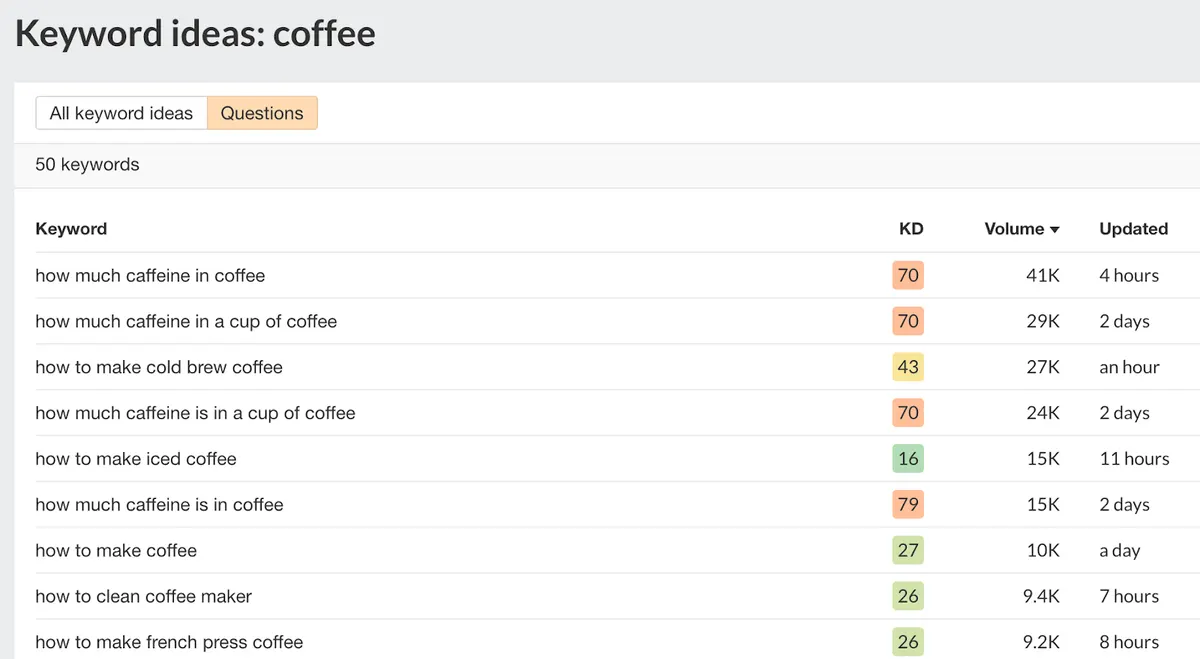
Worth knowing: The Keyword Generator can also find keyword ideas for Bing, YouTube and Amazon.
4. Google Trends
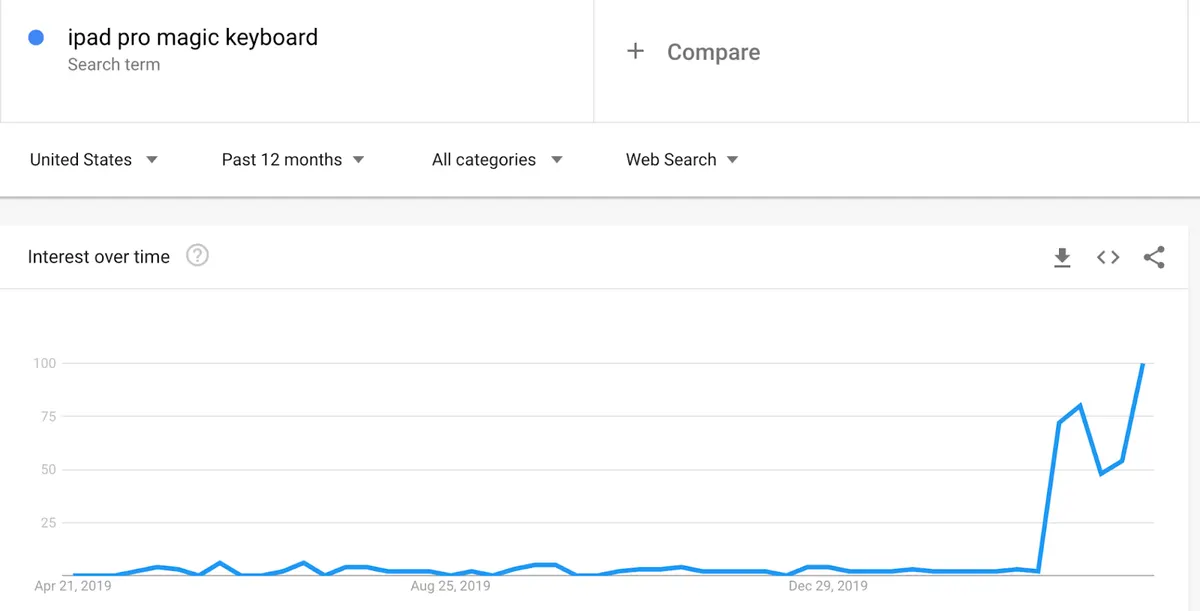
Google Trends shows the popularity of a topic over time. Use it to catch rising topics and shape your content calendar around them.
5. Keyworddit
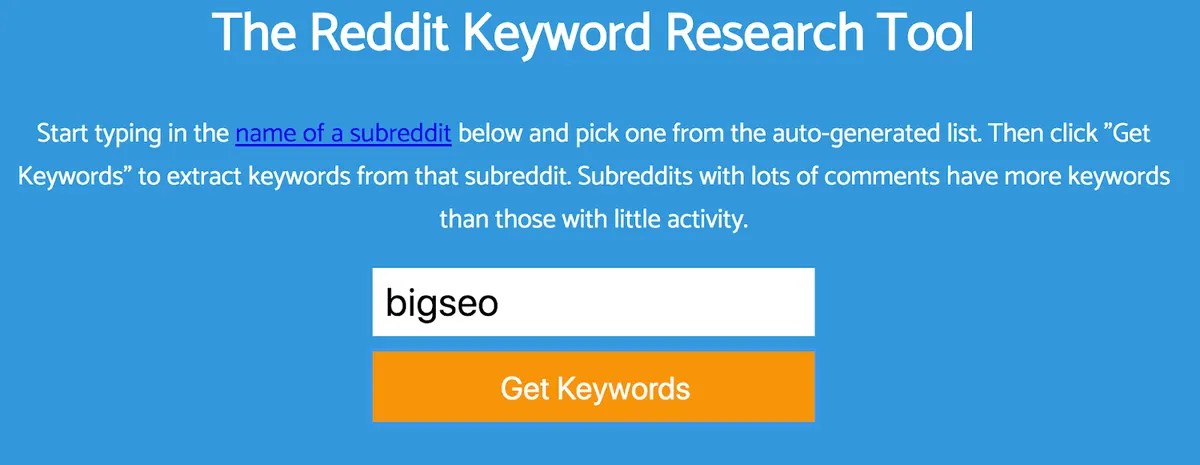
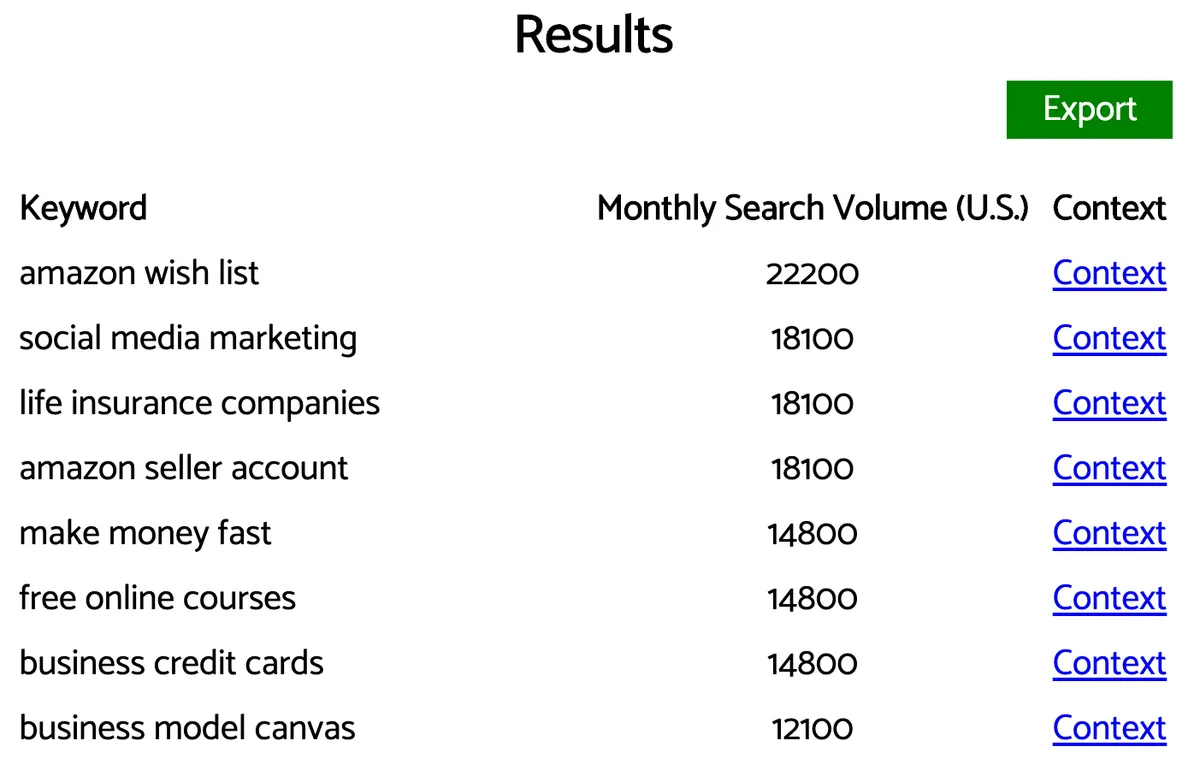
Keyworddit extracts keywords from Reddit. Enter any subreddit (for example /r/bigseo) and it returns a keyword list with estimated monthly search volumes. It is useful for finding topics your audience cares about that you might not otherwise have considered.
Bonus tip — AlsoAsked.com: It collects the questions in Google’s “People also ask” (PAA) boxes. Use them to find subtopics worth answering in your article. For example, for a piece on “how to clean a coffee maker with vinegar” you might cover:
- How much vinegar should you use?
- How many times should you run vinegar through the machine?
- Is vinegar actually suitable for cleaning it?
6. Keyword Surfer
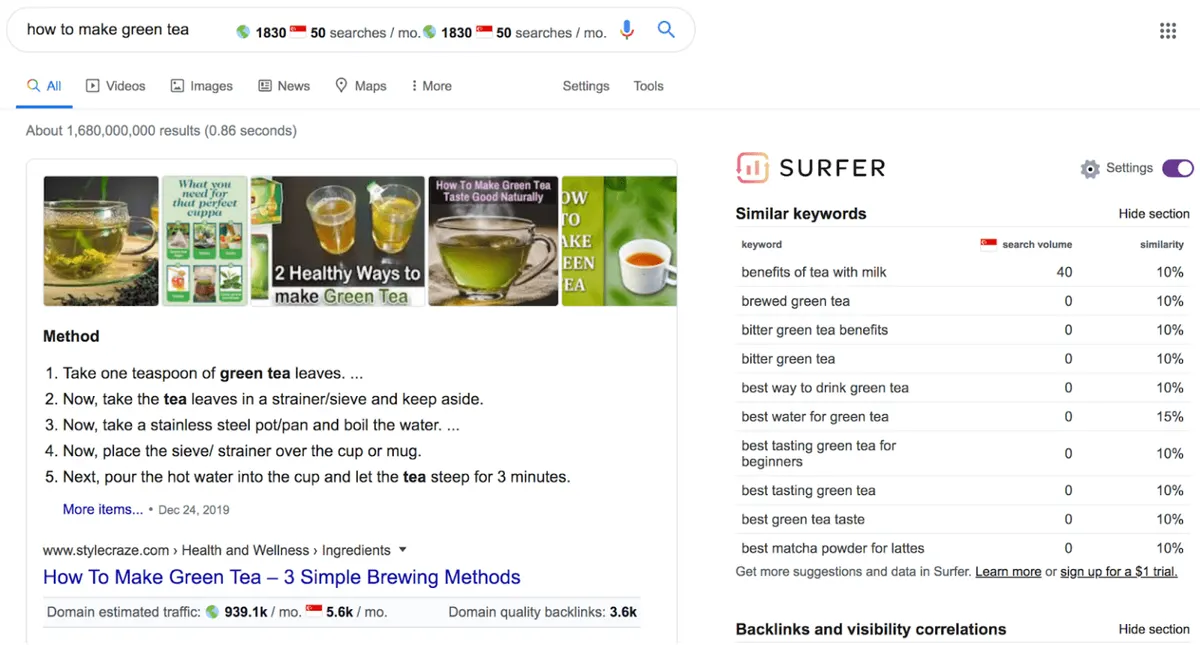
Keyword Surfer is a free Chrome extension that shows estimated global and monthly search volumes for any query typed into Google. You also see similar keywords and related terms in the sidebar, which makes keyword research and competitive analysis possible without leaving the SERPs.
What is a SERP? Search Engine Results Pages are the pages displayed by search engines in response to a user’s query.
On-page SEO tools
These tools let you check how a page appears in search results and whether its markup is valid.
7. SERPSim
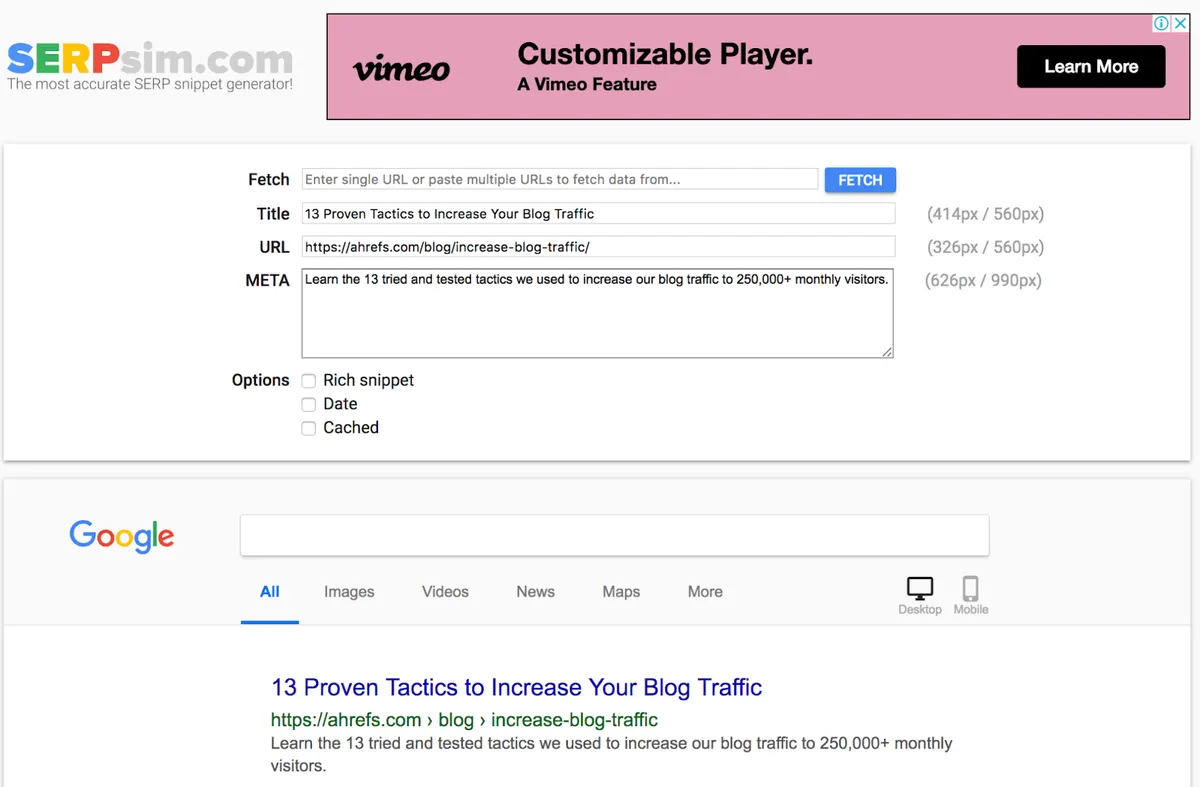
SERPSim shows how your web page will appear in Google’s search results. Enter your proposed title, meta description and URL. It also tells you whether the title or description is too long, so you can prevent truncation and improve click-through rate.
Similar alternative: Portent SERP Preview Tool
8. Google’s Rich Results Test
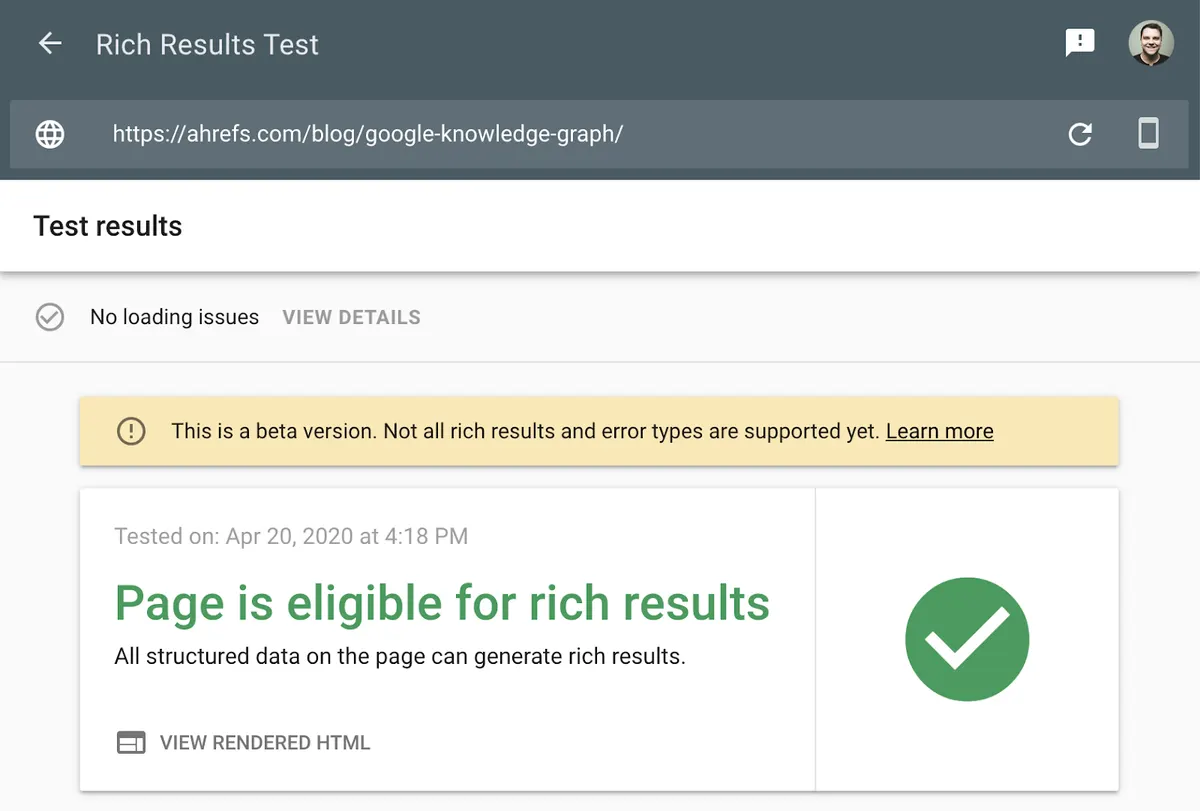
Google’s Rich Results Test checks the structured markup on your page to see whether it qualifies for rich snippets in search results.
Link building tools
These tools help you examine your backlink profile and find link opportunities.
9. Ahrefs Backlink Checker
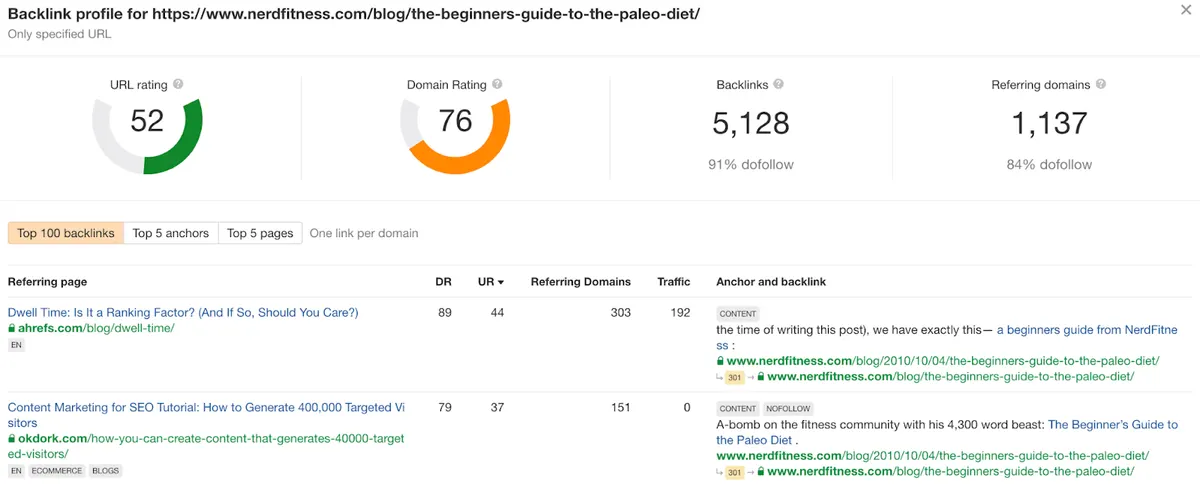
Ahrefs Backlink Checker shows the top 100 backlinks to any website or page. It also lists the five most linked pages, the most common anchor texts, the total number of backlinks and referring domains, and Domain Rating (DR) and URL Rating (UR) scores.
10. Hunter.io
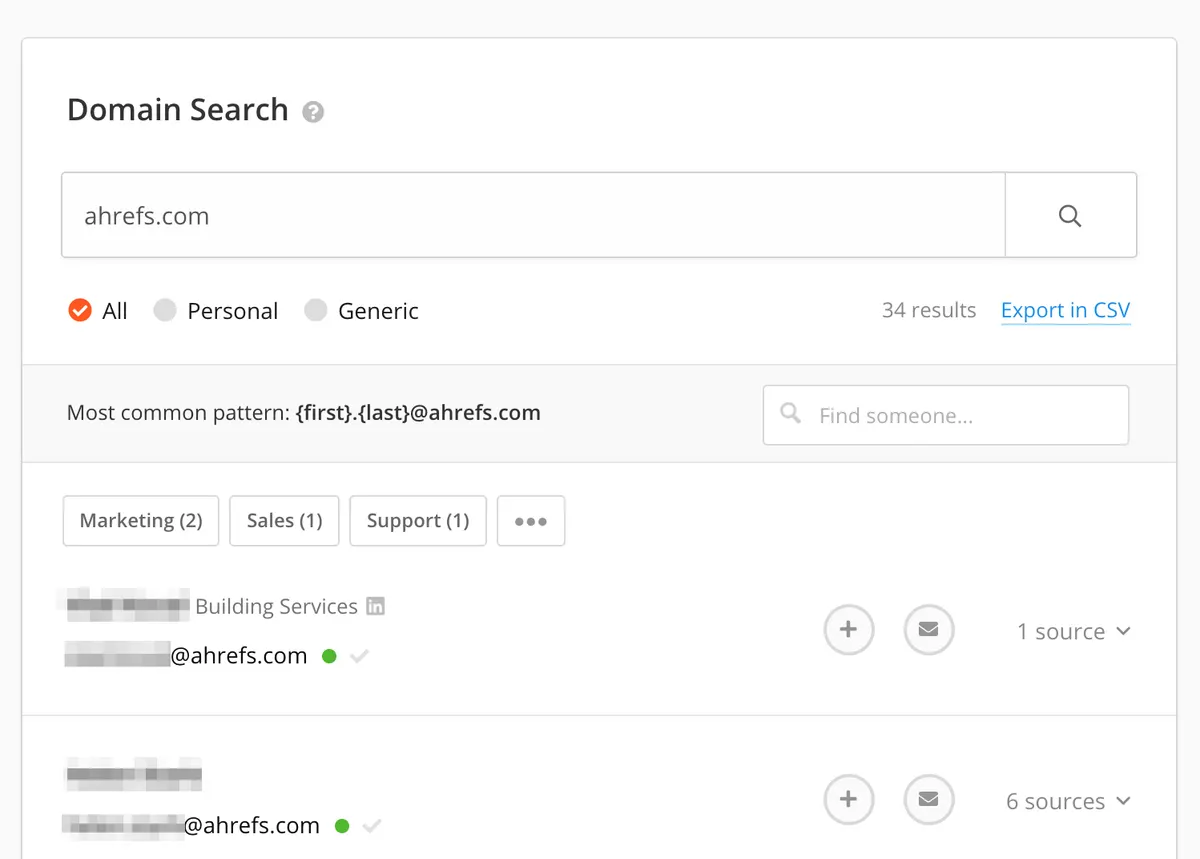
Hunter.io finds email addresses associated with a website, with 50 requests per month free. To find a specific person’s address, enter the domain and the person’s name. For quick access, install the Chrome extension or use the Google Sheets add-on.
Similar alternative: Voila Norbert
11. Ahrefs Broken Link Checker
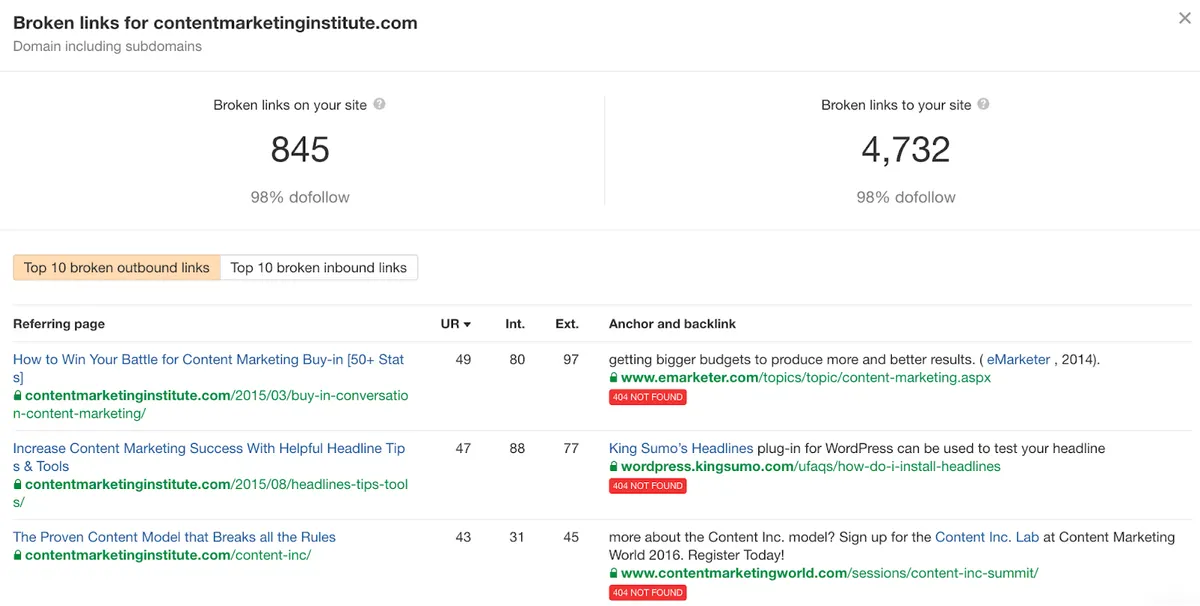
Ahrefs Broken Link Checker shows the top ten broken incoming and outgoing links for any domain, subdomain or URL. Use it to:
- Find broken link building opportunities
- Find broken outgoing links on your site and fix them to improve user experience
- Find broken pages on your site to reclaim link authority
For instant checks you can also use the LinkMiner or Check My Links extensions.
12. Scraper
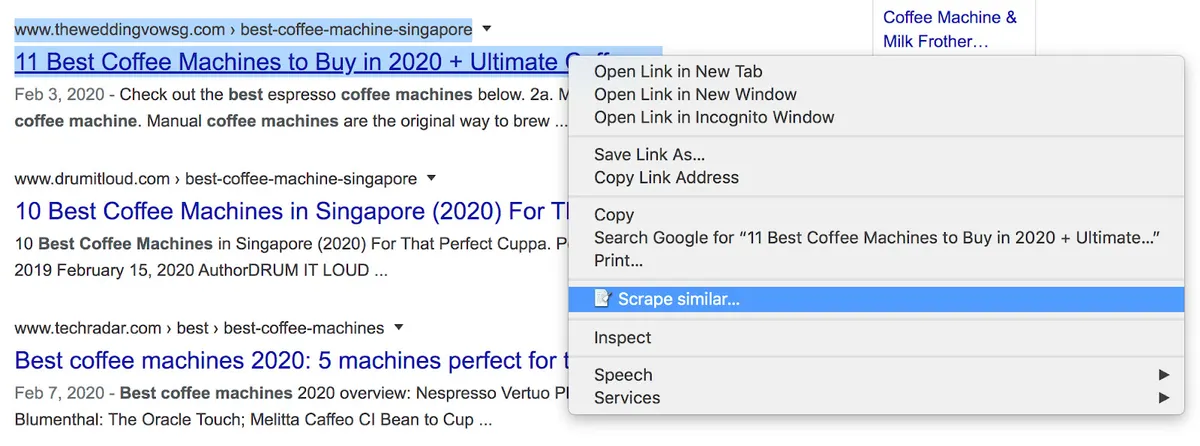
Scraper is a Chrome extension that lets you pull data from any web page — for example, scraping link prospects from Google search results.
13. Streak
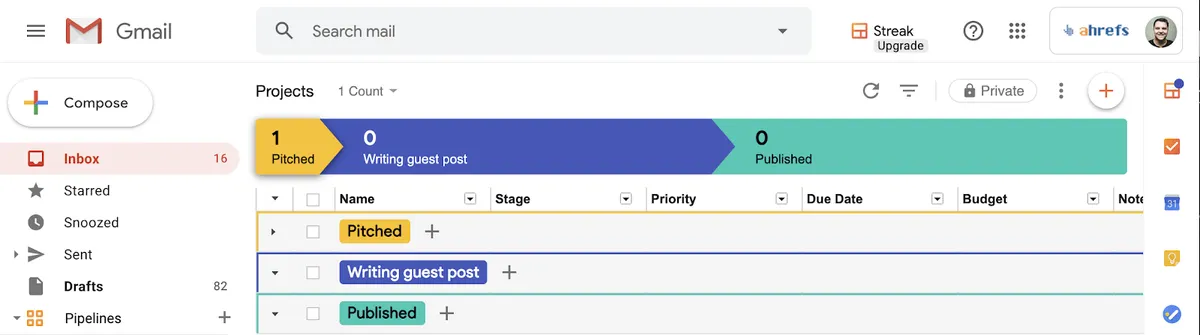
Streak is a free Chrome extension that turns your Gmail inbox into customer relationship management (CRM) software. You can schedule and send bulk personalised emails and see whether they were opened. It is a practical tool for blogger outreach.
Technical SEO tools
These tools help you improve the technical side of your website.
14. Google Search Console
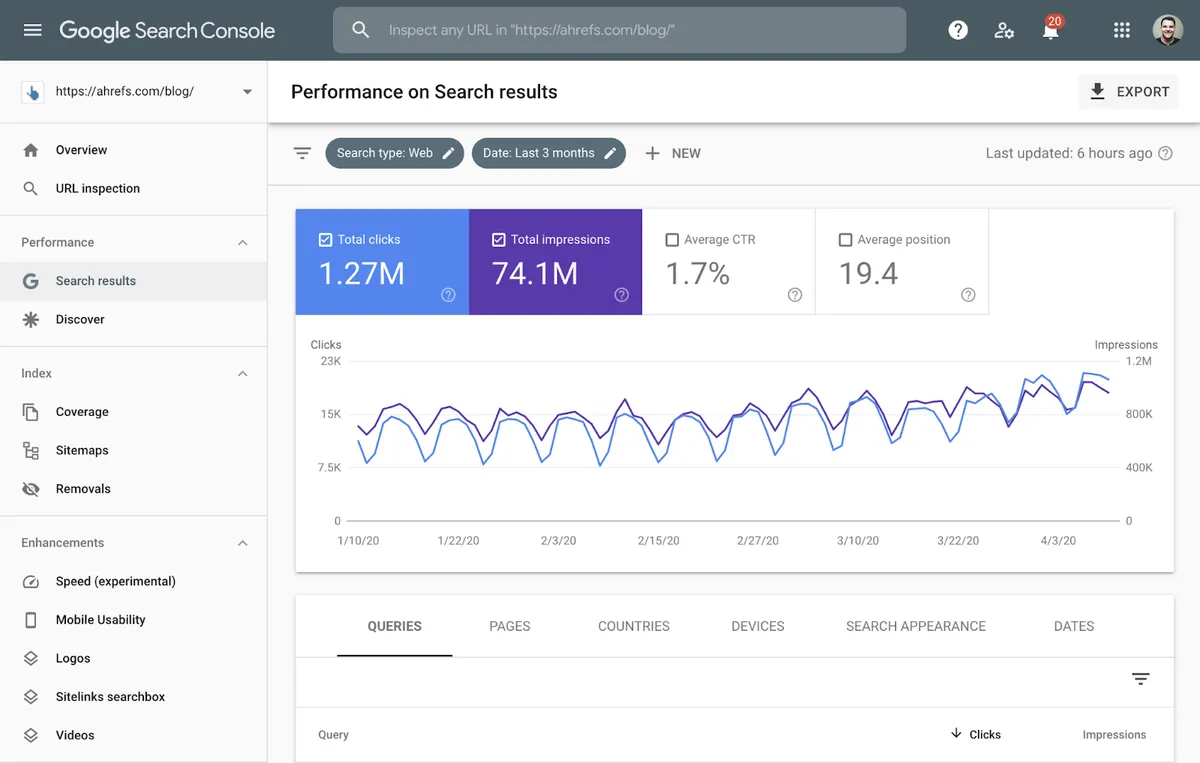
Google Search Console (formerly Google Webmaster Tools) is a free Google service that helps you monitor and troubleshoot how your site appears in search results. Use it to find technical errors, submit sitemaps and review structured data issues. Bing and Yandex have their own versions.
15. Screaming Frog
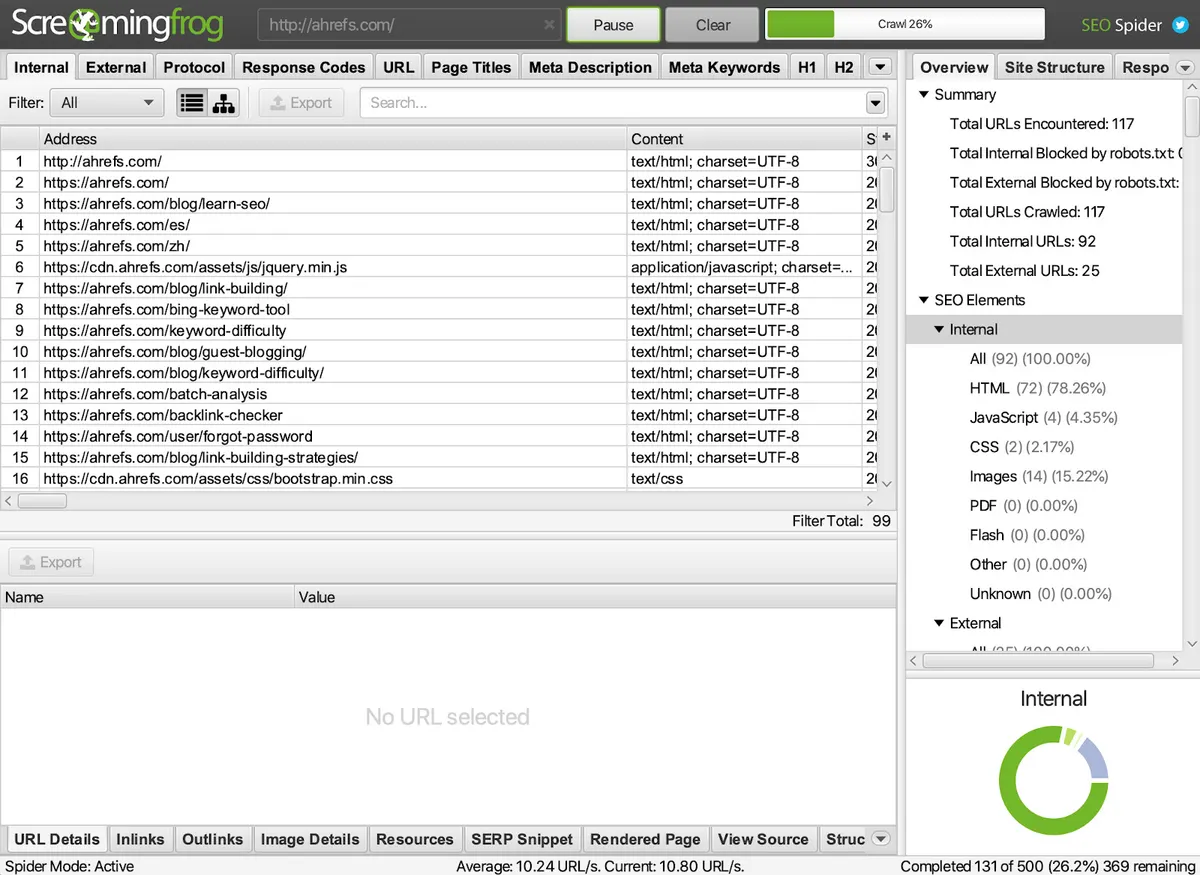
Screaming Frog is a desktop-based website crawler and one of the most widely used tools for auditing technical and on-page SEO issues. The free version crawls up to 500 URLs.
16. Cloudflare

Cloudflare offers a free global CDN. It not only speeds up your site but can also protect it from malicious attacks.
17. GTmetrix
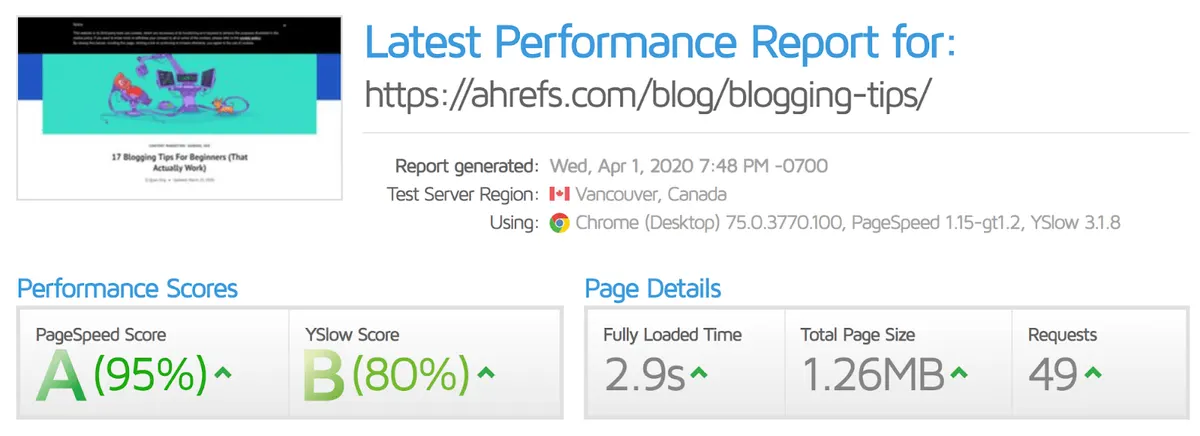
GTmetrix analyses the loading speed of your pages. Alongside a performance score, it gives actionable recommendations for making things load faster.
Similar alternatives: Google PageSpeed Insights, Pingdom, WebPageTest
18. Google’s Mobile-Friendly Test
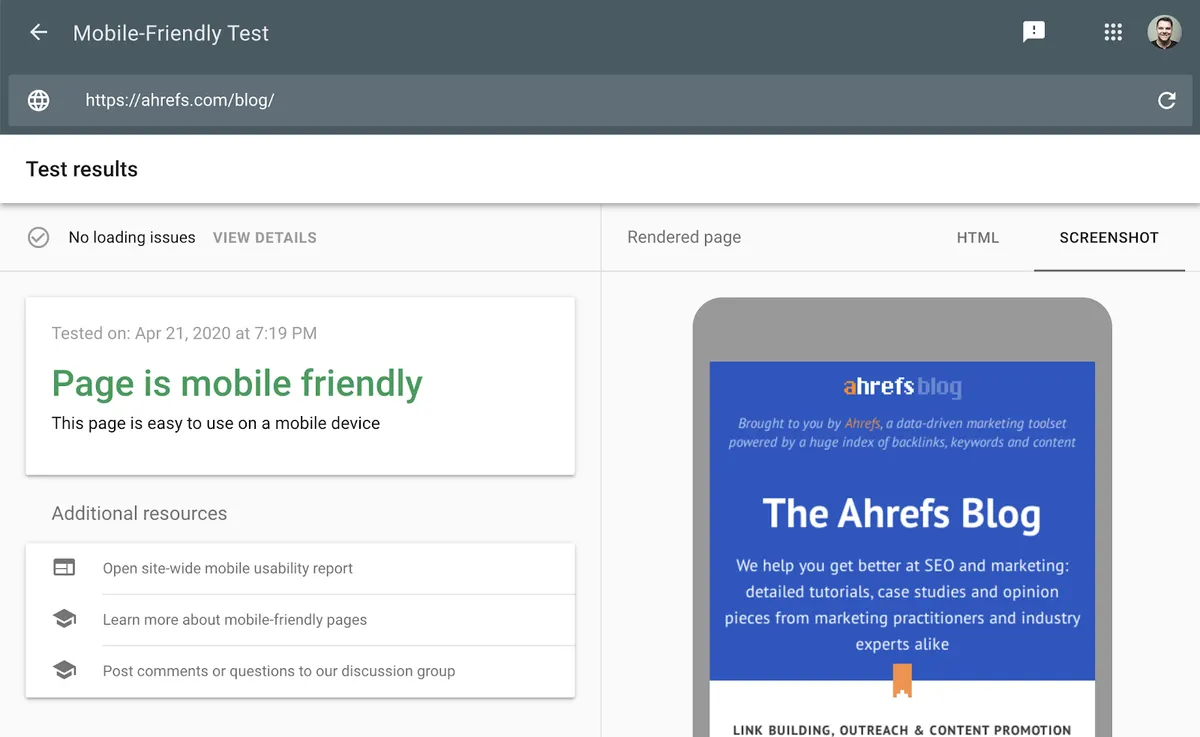
Google’s Mobile-Friendly Test checks how easily a visitor can use your page on a mobile device. It also identifies specific usability issues such as text too small to read or incompatible plugins. With Google’s mobile-first indexing, having a responsive website matters more than ever.
19. Where Goes?
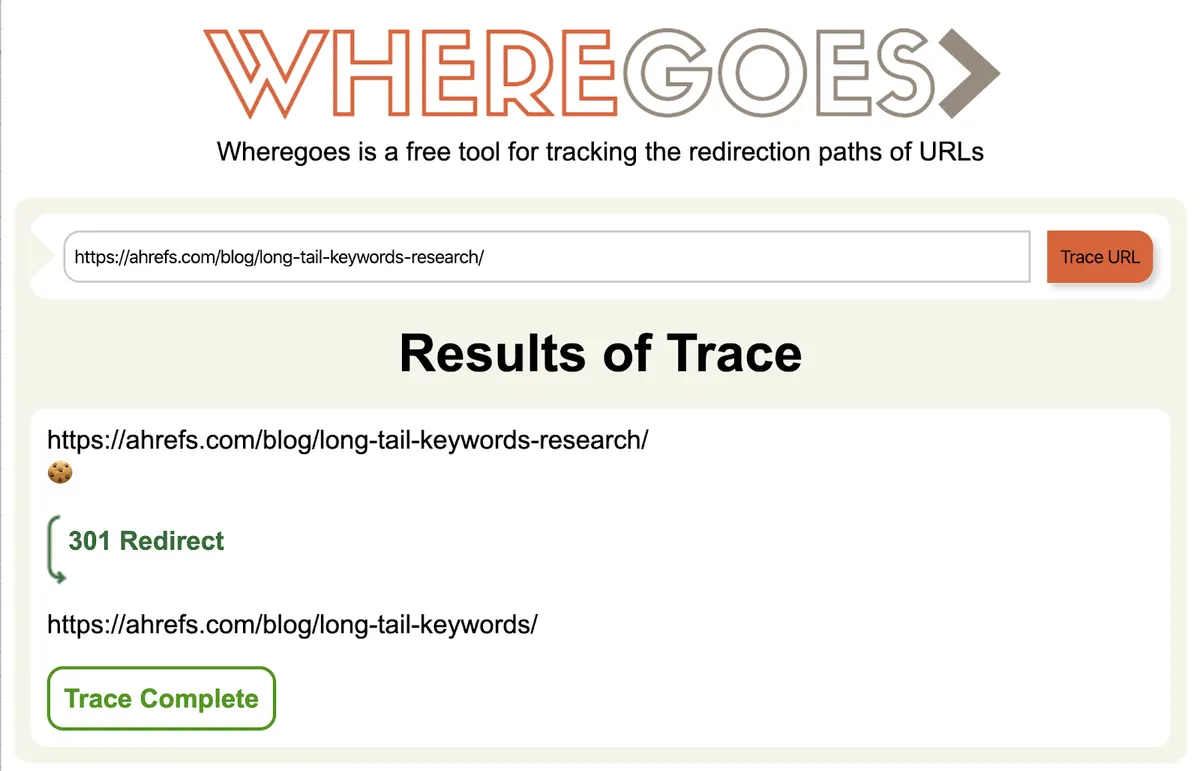
Where Goes? is a simple tool for checking the redirect path of any URL. Paste a URL and it shows both the type (301, 302 and so on) and the number of redirects in the chain. Unnecessary redirects slow the site down and waste crawl budget, so they should be minimised.
20. Robots.txt Generator
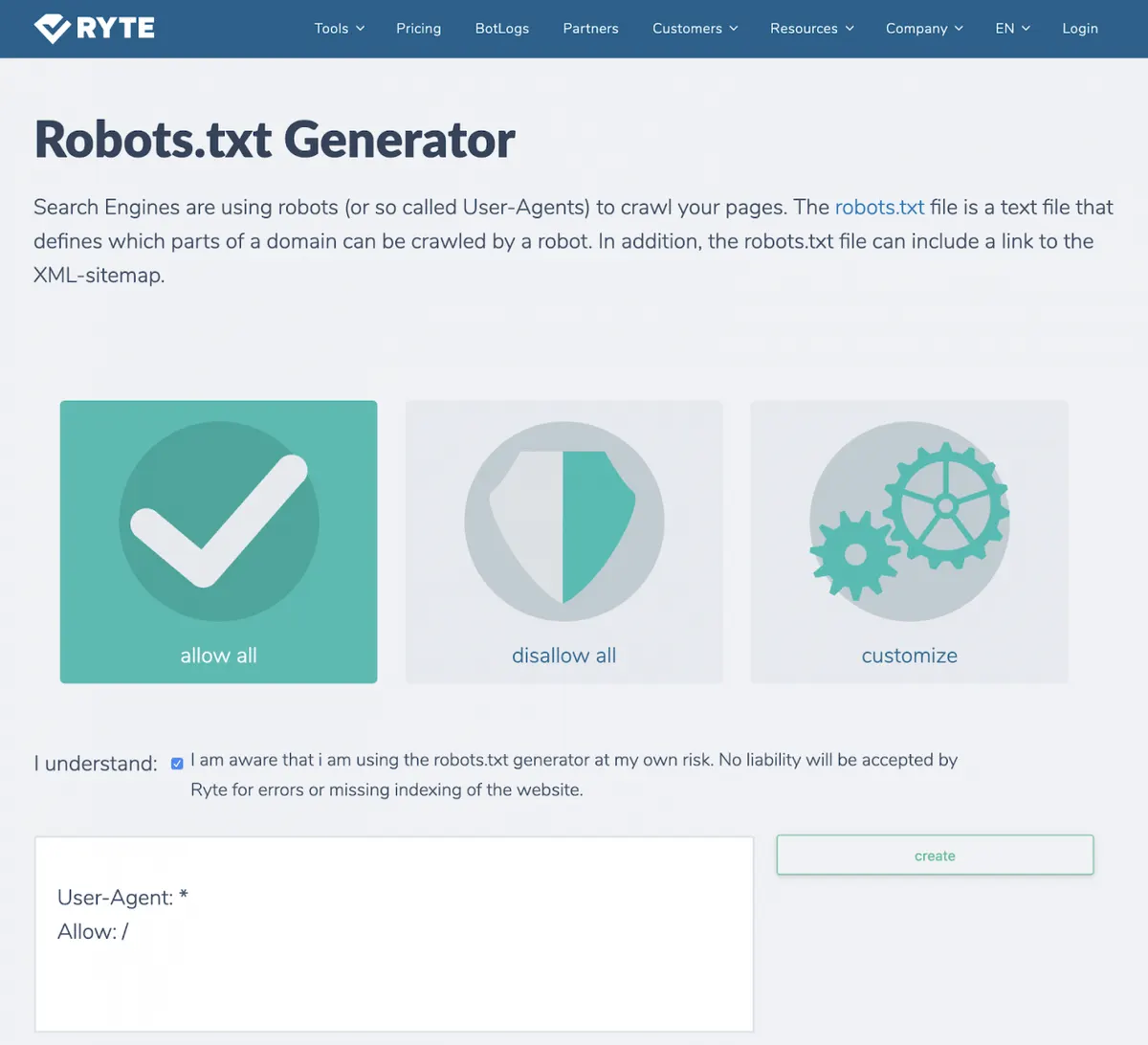
Robots.txt Generator creates a well-formed robots.txt file in seconds. Advanced users can use the custom option to write separate rules for different bots and subdirectories.
21. HEADMasterSEO
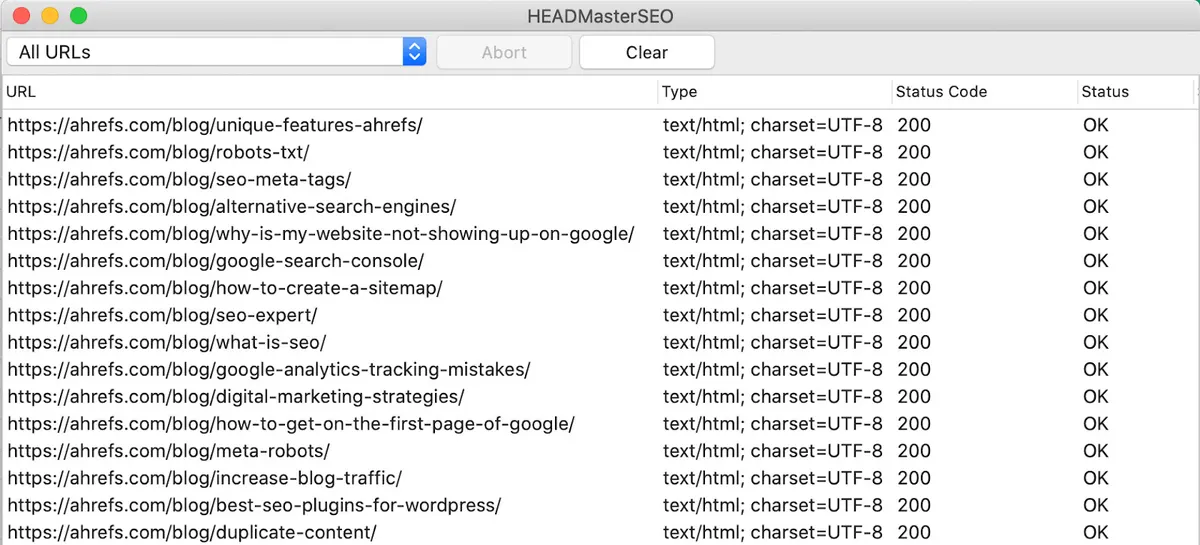
HEADMasterSEO is a simple tool for bulk-checking the status codes of a list of URLs. The free version handles up to 500. If you prefer a web-based app and 100 URLs is enough, try HTTPstatus.io.
22. Keep-alive Validation Tool
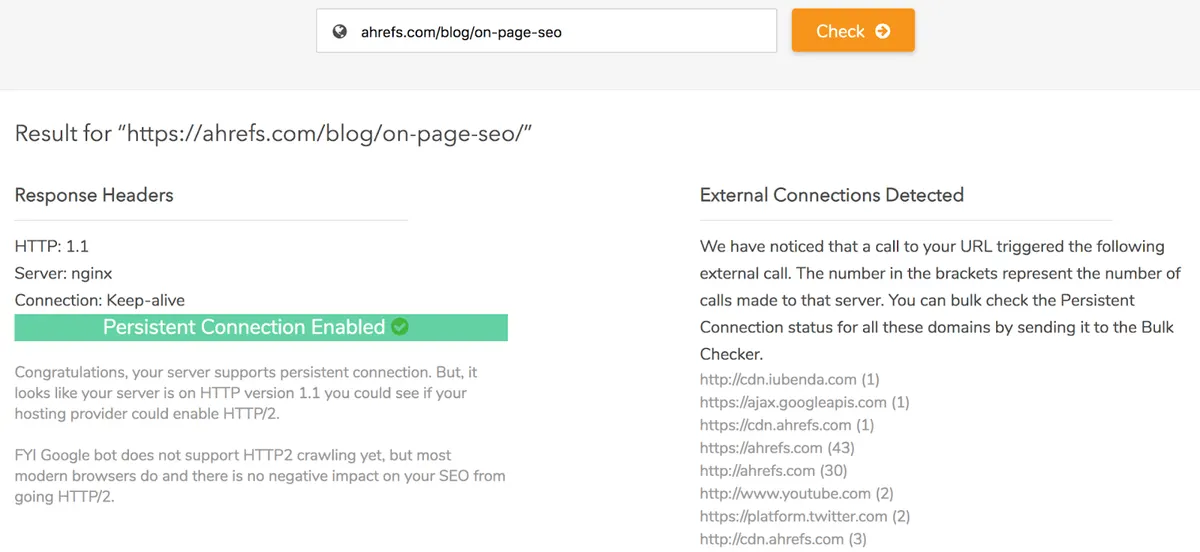
Keep-alive Validation SEO Tool lets you check whether persistent connections are enabled on your web pages.
23. Chrome DevTools
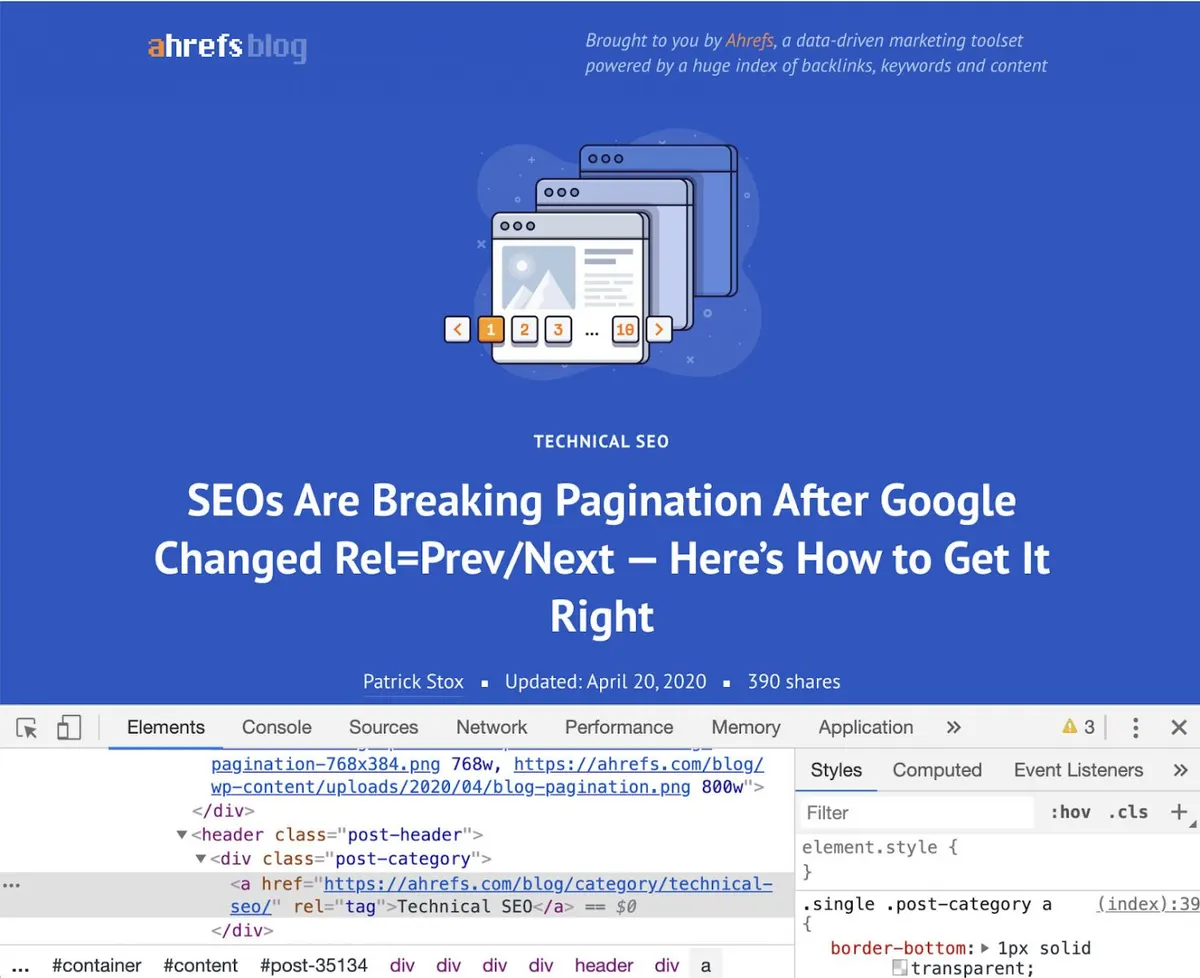
Chrome DevTools is Chrome’s built-in debugging tool. Use it to troubleshoot page speed issues and improve rendering performance. From a technical SEO perspective its uses are close to endless.
24. View Rendered Source
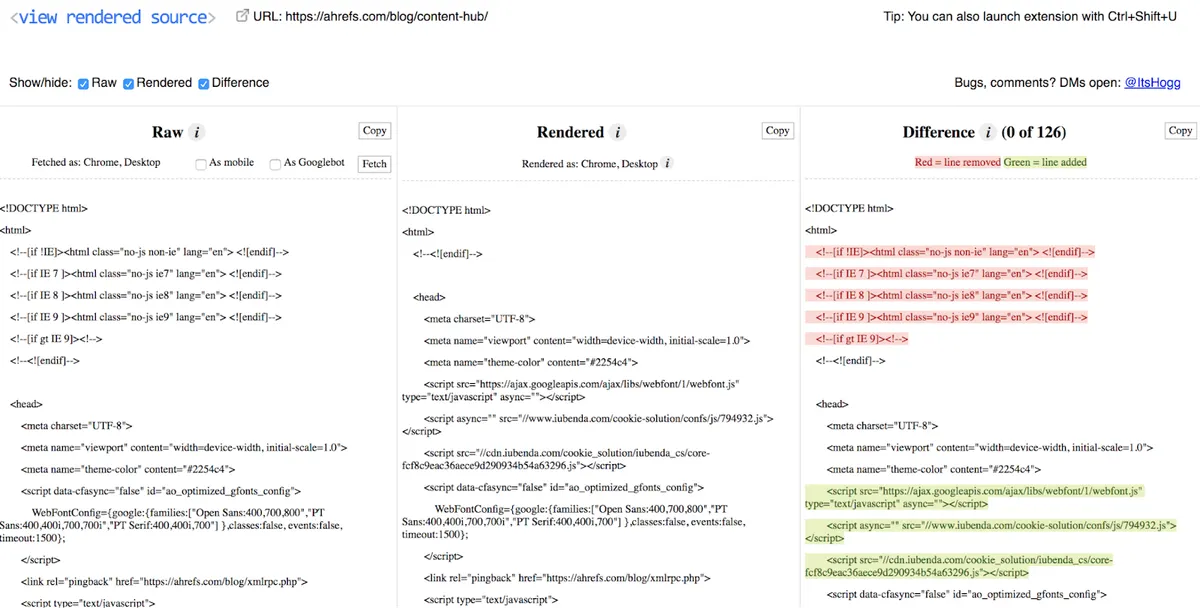
View Rendered Source is a Chrome extension that shows how the browser turns a page’s original HTML into the DOM, including any changes made by JavaScript. It is a great tool for troubleshooting JavaScript issues.
25. Hreflang Tag Generator
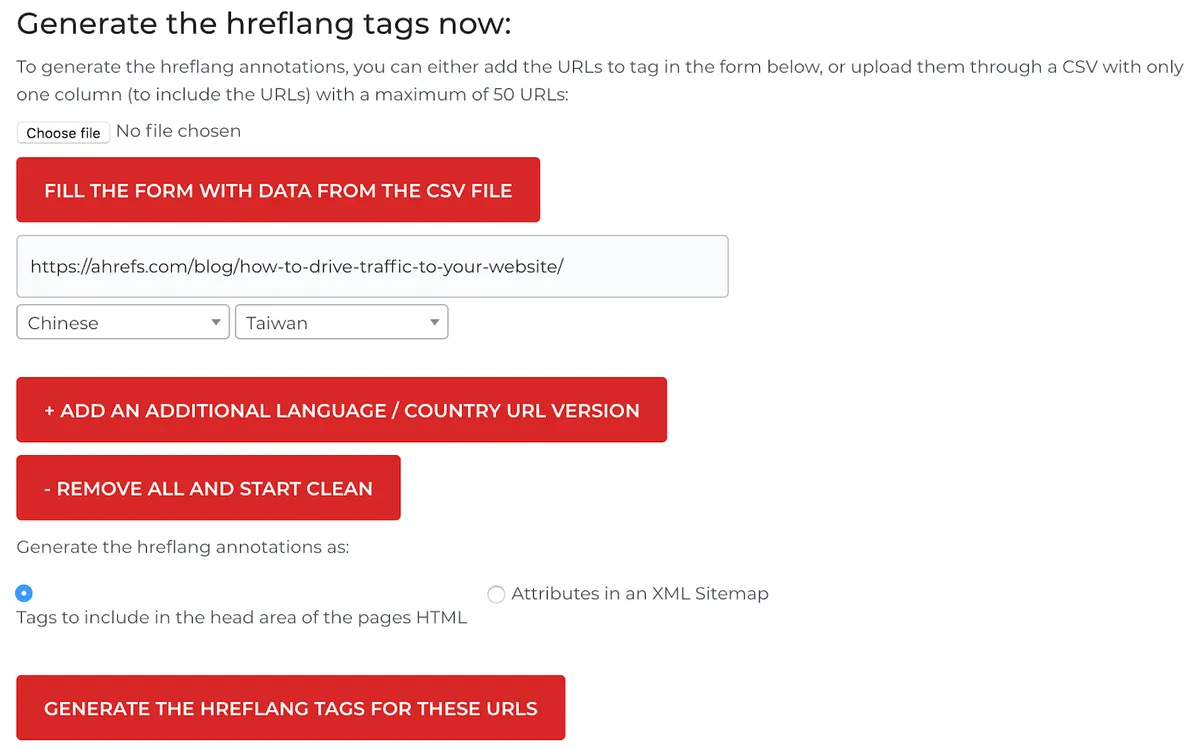
Hreflang Tag Generator creates hreflang tags that specify the language and geographic targeting of a page. Add your URLs, select the target country and language, then generate.
Rank tracking tools
These tools help you check rankings in a target location.
26. Ahrefs SERP Checker
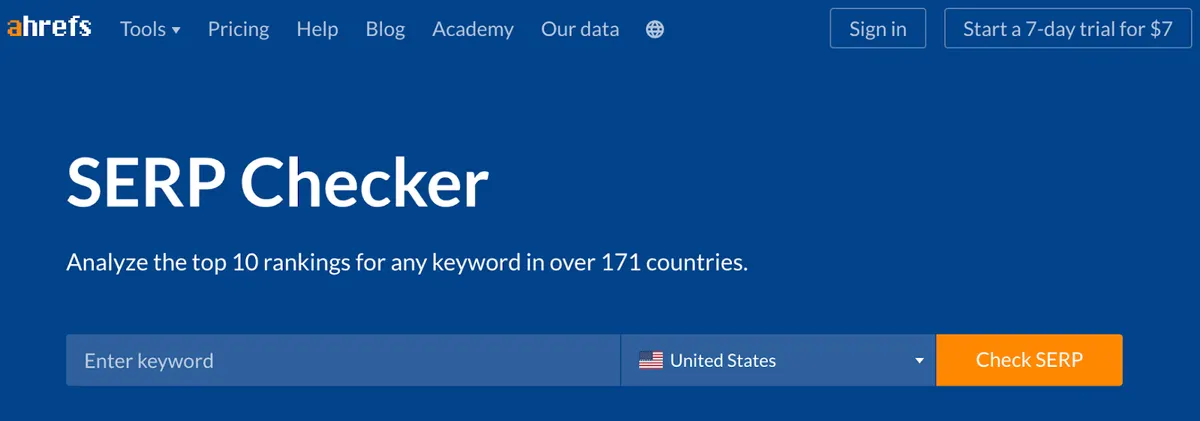
Ahrefs SERP Checker shows the top 10 rankings for any keyword in over 170 countries. For the first three results you also see metrics such as referring domains, backlinks and estimated search traffic.
27. BrightLocal Local Search Results Checker
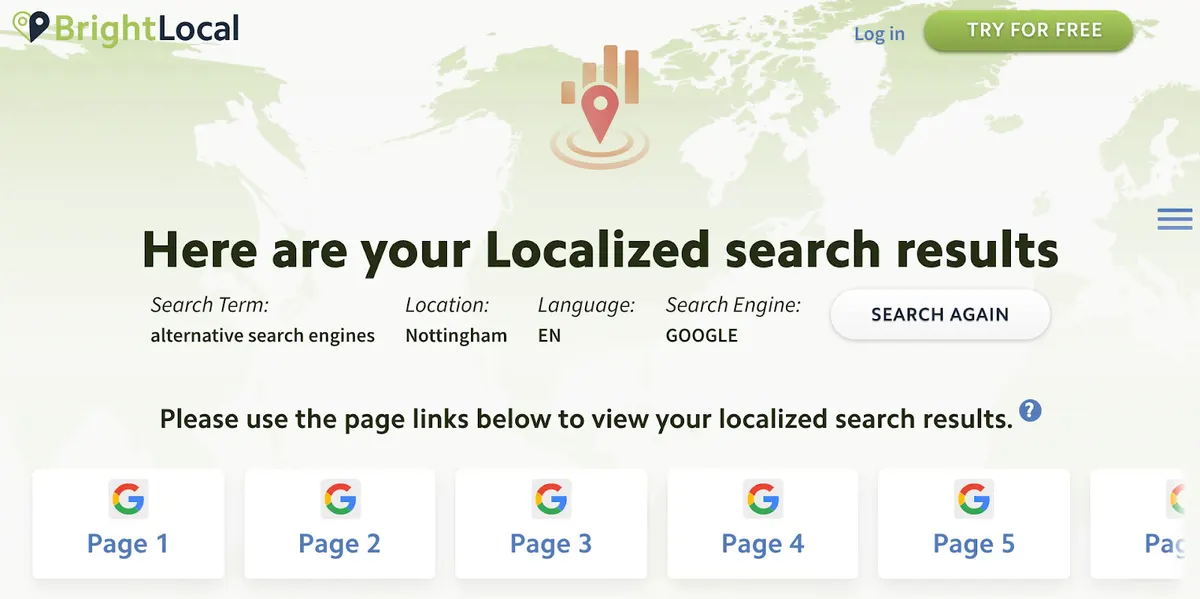
BrightLocal Local Search Results Checker shows search results from any location, down to city, town or ZIP level. Depending on the country you can specify the language too.
Similar alternative: Valentin.app
28. Mobile SERP Test
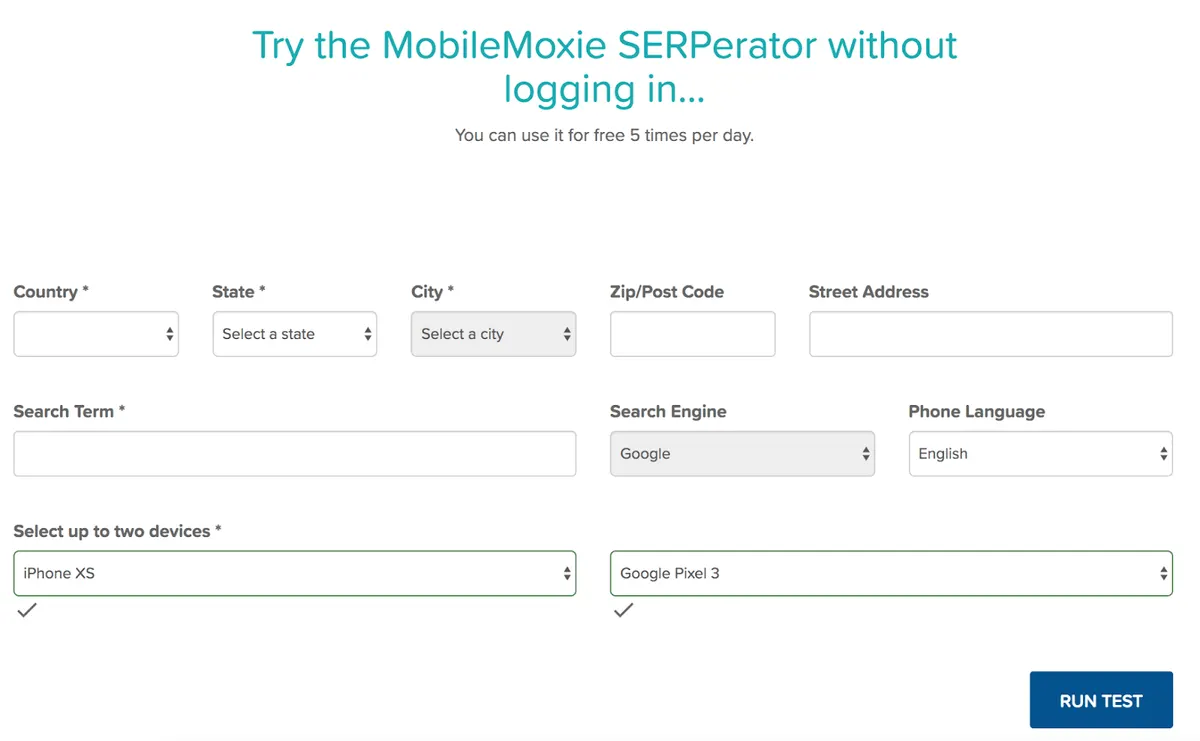
MobileMoxie’s SERPerator lets you check mobile rankings for any location down to an address, city, state or zip code. It also allows device comparison.
Analytics tools
These tools help you measure and analyse the data on your website.
29. Google Analytics
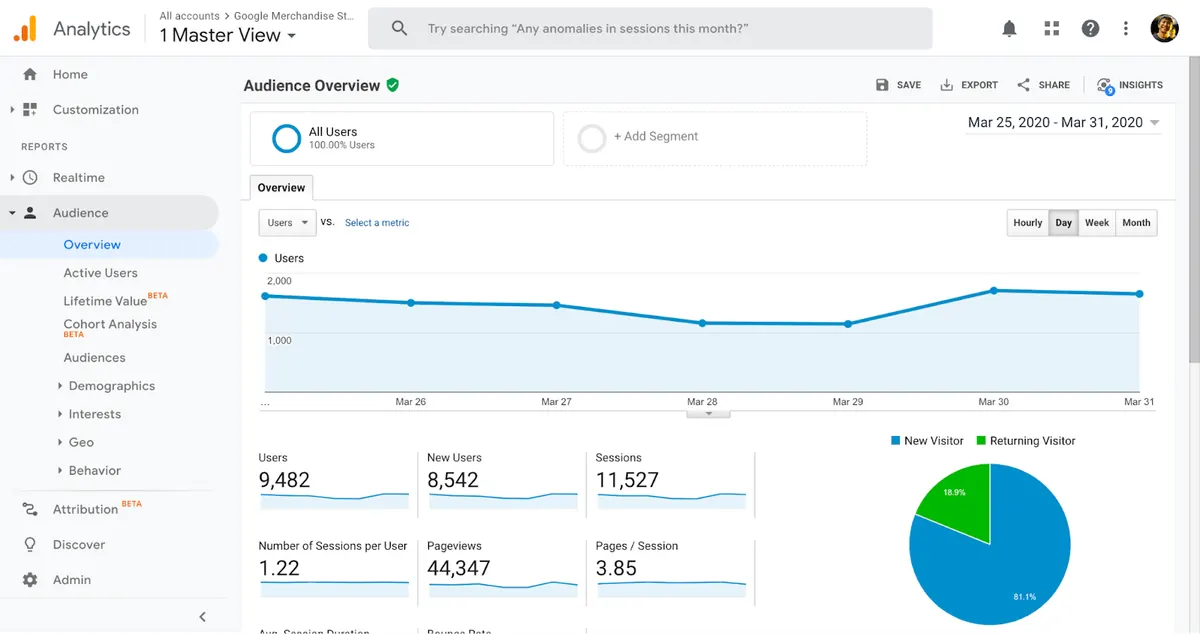
Google Analytics is probably the most widely used analytics tool. It gives you a broad data set for improving every aspect of your marketing. Bing’s version is Bing Webmaster Tools and Yandex has Yandex Metrica.
30. Keyword Hero
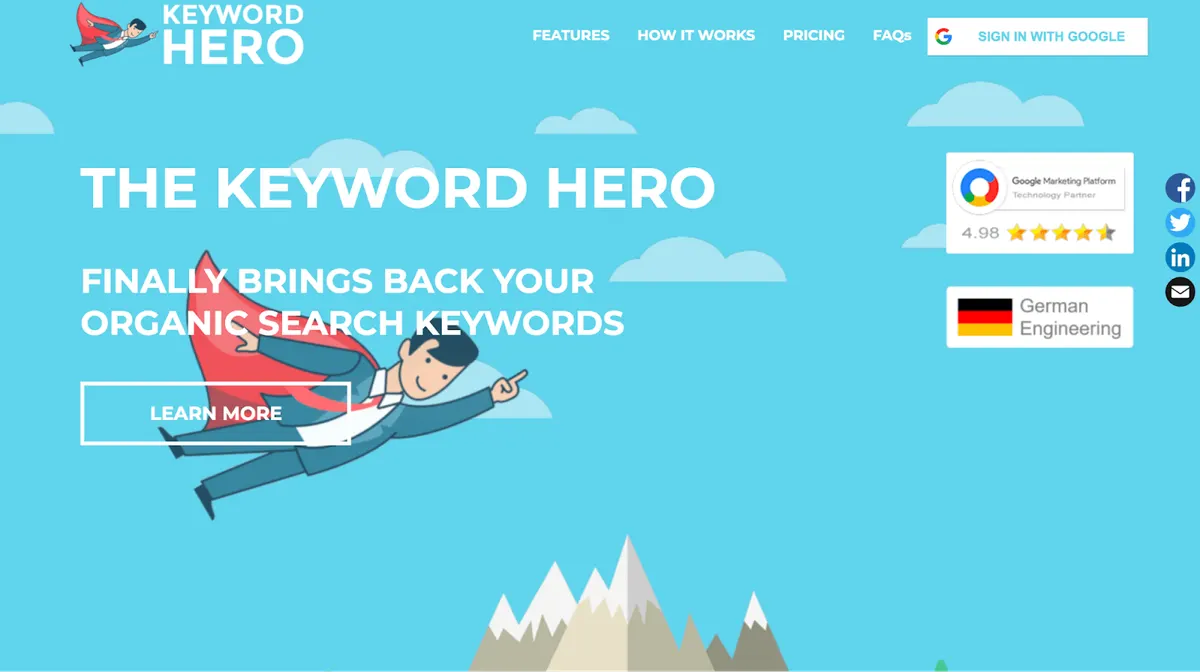
Keyword Hero attempts to match the “(not provided)” data in Google Analytics with actual search keywords. The free tier lets you analyse up to 10 URLs and 2,000 sessions per month.
31. Google Data Studio
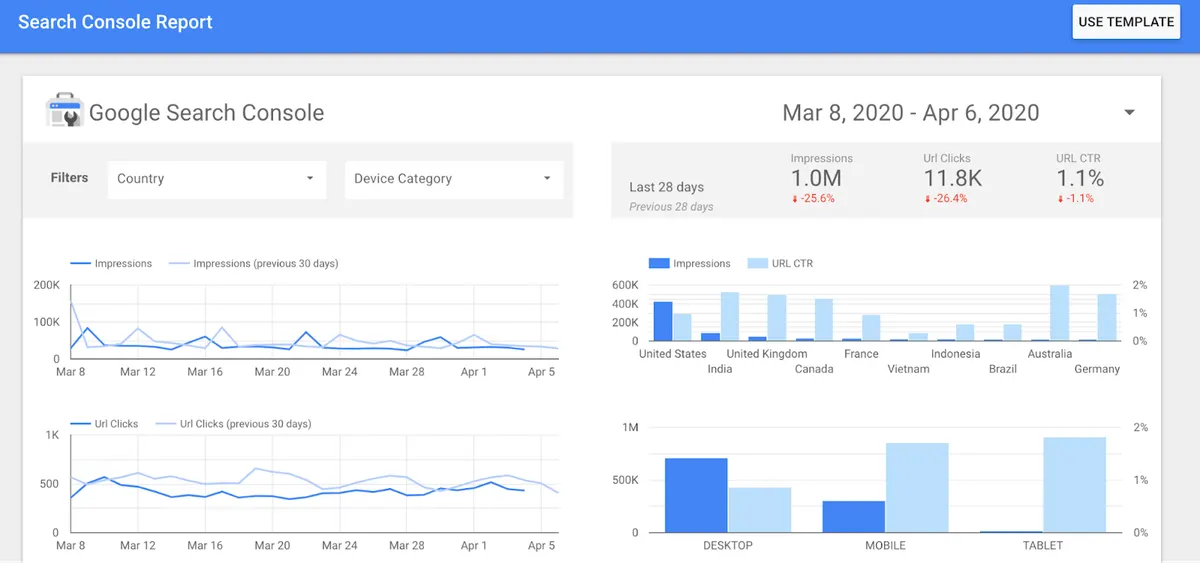
Google Data Studio lets you build interactive dashboards and reports. It makes combining data from sources such as Google Search Console and Google Analytics into a single report straightforward.
Local SEO tools
These tools help you rank higher in local search results.
32. Google Business Profile

Google My Business lets you manage how your business appears in Google Search and Maps. Claiming and optimising the profile is arguably the single most effective thing you can do in local SEO.
33. Whitespark Google Review Link Generator
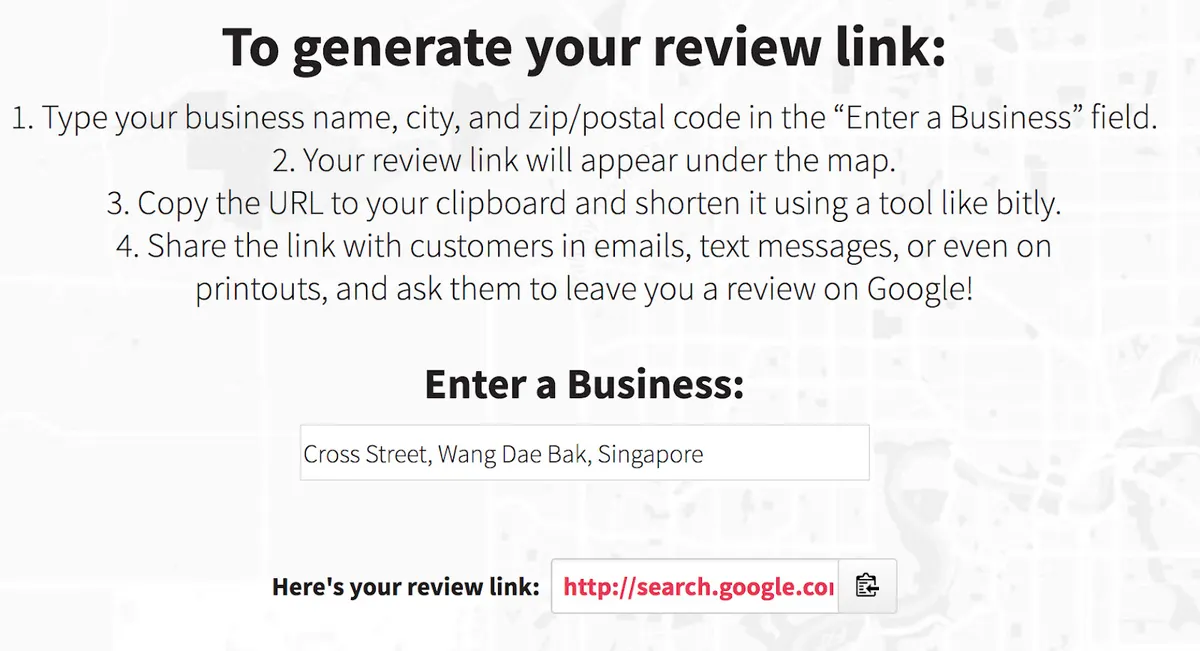
Whitespark’s Google Business Review Link Generator creates a shareable link that lets customers review your business in one click. Since reviews matter a great deal in local SEO, sharing that link by email and social media makes the process easier for everyone.
Other SEO tools
Tools that do not fit the categories above but are useful to keep an eye on.
34. Algoroo
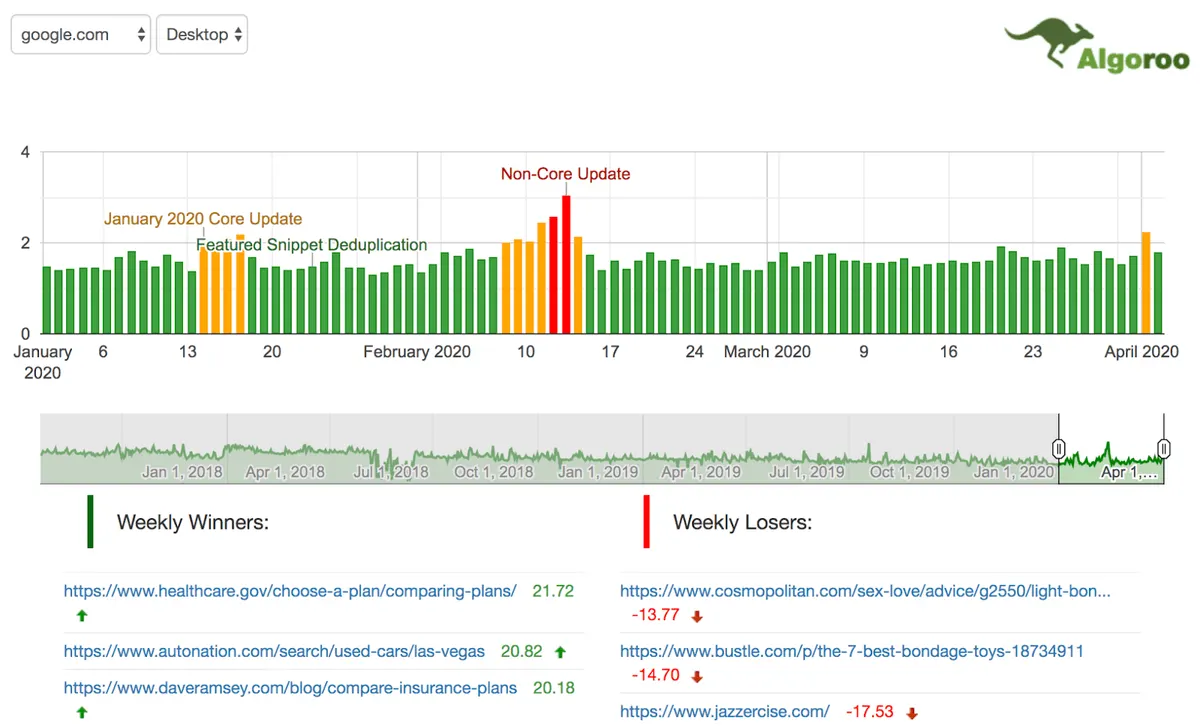
Algoroo is a Google algorithm monitoring tool. It lets you see fluctuations in Google’s results that may indicate an algorithm update. Developed by DEJAN, the system tracks a curated set of keywords and combines negative and positive movement into a single SERP flux metric called “roo”. A high roo value indicates high volatility in search results.
Similar alternatives: Ayima Pulse, Rank Risk Index
35. Wayback Machine
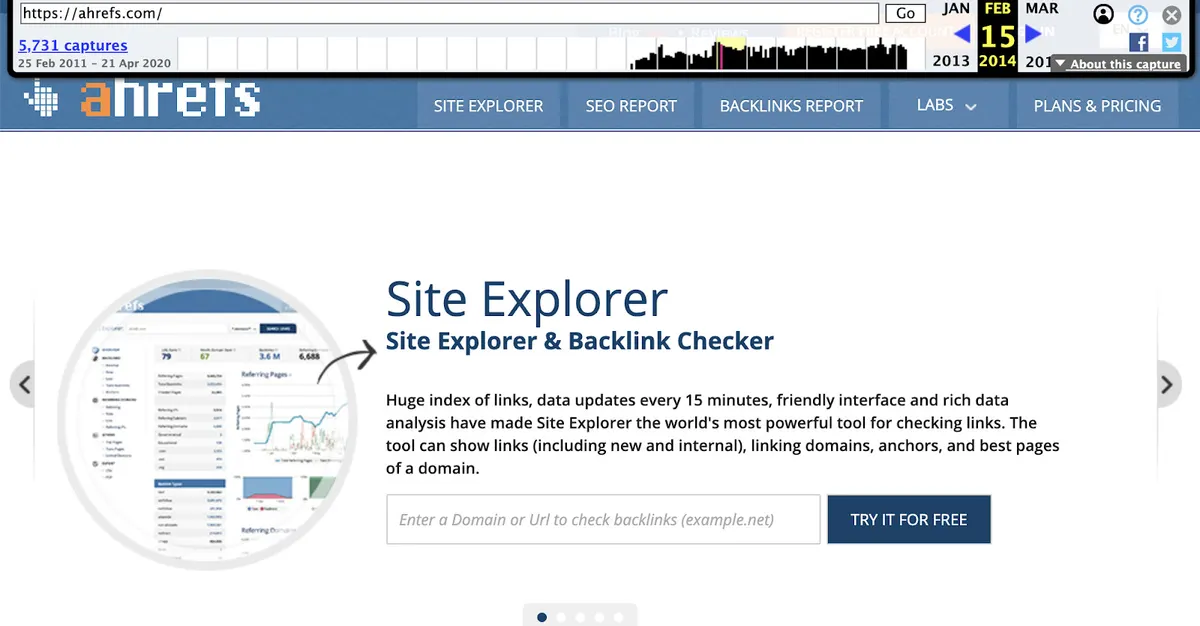
Archive.org’s Wayback Machine shows what pages looked like in the past. When doing broken link building, seeing what was originally on the dead page makes it far easier to recreate that content. It is also handy for viewing the old pages of a site that has since closed.
Bonus: Google Alerts
Google Alerts lets you monitor mentions of your name or business online. You can also use it to keep an eye on competitors.
Where should you start?
You do not need to use the whole list at once. A practical order: set up Google Search Console and Google Analytics first, run a technical audit with Screaming Frog, build a content plan with the keyword tools, and then track progress with the rank monitoring tools.
If you would rather have this work handled outside your own team, take a look at our SEO and GEO consulting service or reach us through the contact page.
Published: · Updated: · Author: Moon Workshop
Frequently Asked Questions
Are free SEO tools enough for professional work?
Which tool should you start keyword research with?
How do I check my rankings in different cities or countries?
Which tools are needed for a technical SEO audit?
Related Articles
- SEO & GEO3 min read
How to Do SEO Fast: Ways to Speed Up SEO Results
Speeding up SEO results takes strategy. Keyword selection, content updates, internal linking and on-page work all shorten the time to first results.
- SEO & GEO8 min read
26 Free Google Chrome Extensions for SEO
A tested list of 26 free Chrome extensions for SEO, grouped by on-page SEO, keyword research, rank checking, technical SEO, link building and general use.
- SEO & GEO3 min read
How to Get Visibility Without Traffic in the Zero Click Era
Users now get answers on the results page itself. How featured snippets, local SEO and clear content build brand visibility without a single click.